Prototype mk2

I am now at a point where I really need to break down the mk2 prototype build into manageable chunks, and place them in an order that makes sense. This will be open to change as things progress, but having an initial structure is usually a good idea.

There will be two subphrases here – the code and the hardware. I will work on the code with a skeleton circuit first, and then flesh things out once the code is working. The code must achieve the following points:

  1. Control the multiplexer chip, and read data from all 8 analogue inputs.
  2. Use the mode switch to decide which parameters will be affected by these input values.
  3. Convert these values into the four Euclidean rhythms, stored as arrays.
  4. Respond to the ‘Next Step’ trigger by progressing each sequence one step, and outputting gate CV where appropriate (this can be triggered with a simple button for the time being).
  5. Respond to the ‘Reset Steps’ input by returning all sequences to their first step.
  6. Screen/display code will be added at a later date, after the functional circuitry is completed.

Once the code works, the analogue electrical circuitry will need to achieve the following:

  1. Parameter inputs x8 – each input needs to merge the signal from the jack and potentiometer, and needs protection from overloaded input (probably using transistors).
  2. Sequence outputs x4 – these all need to light an LED as well as send 5V pulses, as well as having protection from accidental voltage input.
  3. Reset Steps input – this will need to merge a button and jack input, similar to the parameter inputs above.
  4. Clock circuit – this will be built using a 555 timer with potentiometer controlling tempo. It will need a disable switch to be replaced by the Next Step input jack, or instead to work alongside it.
  5. General IC circuitry – I will also need to consider power smoothing caps (these may not be needed).

Multiplexers

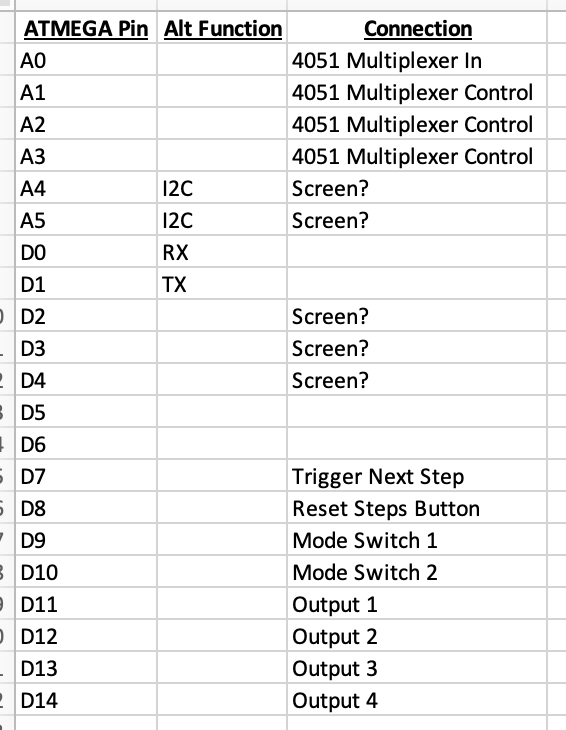
My pinout plan

Some further research into the points raised in my previous post brought me to discover a new type of IC that I was previously unaware of – the multiplexer. This will allow me to quickly switch between multiple different inputs on the same ADC pin, meaning that I can revert back to my ATMEGA328p based plan. This also means that I don’t need to worry about using up the I2C ports which double up with a couple of the ADC pins, increasing the number of screen options I will have available further down the line if I decide to use a display.

An Annoying Realisation

I started thinking about pin usage on the ATMEGA328p microcontroller chip that I was planning on using this morning, and came across a problem. As mentioned in my previous post, I need eight ADCs for my design – not a problem when using the Arduino NANO, but it turns out that the ATMEGA328p chip only has 6 ADCs! The NANO uses a surface mounted version with extra ADCs, but I am not able to work with surface mount soldering – super annoying!

This means I have a couple of options:

  1. Reduce the number of ADCs used – this is not really an option as it would fundamentally affect the functionality of my module.
  2. Use multiple chips with serial communication between them – this is certainly possible, but will add extra circuitry and code complexity. I could potentially use an ATTINY85 as the second chip saving some space.
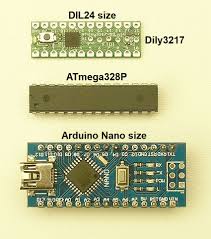
  3. Use an Arduino NANO in my circuit – this will take up extra space on the circuit, and looks more DIY and less professional. It will make it easier to load the software onto my chips, as the NANO has a USB port rather than needing to use a separate circuit for programming. This would also allow the option for future software updates.

I did a quick google search to compare the sizes of the NANO and ATEMGA328p DIP, and it actually turns out that they are pretty similar in size, which surprised me! This may push my decision towards sticking with the NANO, but I will need to do some more head scratching and draw some pinout sketches…

The New Design

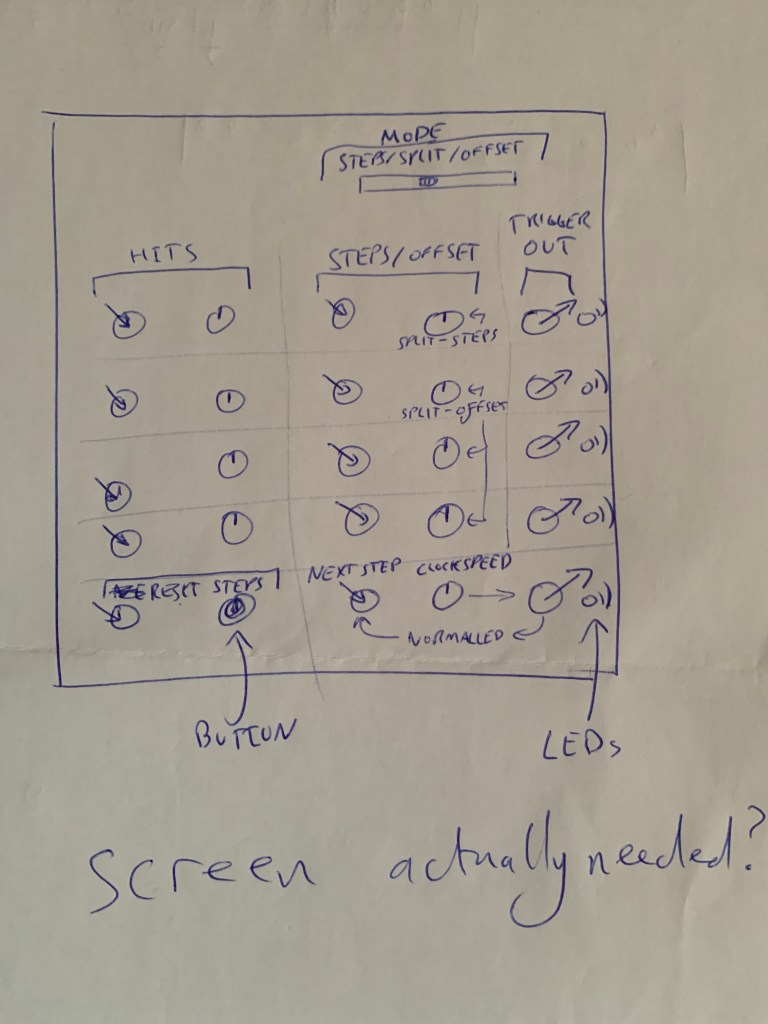
Today I had a think about the design for my new module going forwards, and drew up a sketch. I think that CV control over parameters on each lane is going to be an important part of making my design stand out from other commercially available units, so I reimagined the interface from my prototype, which was controlled via endless rotary encoders.

This design uses a mode selector to allow switching between control for either offset or step length for each lane. With my current code this will not work as sequence length is a global rather than per-lane parameter, but this may be an interesting avenue to explore.

I have written ‘screen actually needed?’ on my scrawl, and this is a point I will need to consider. I very much like the idea of a visual representation of the polyrhythms created, but the LED matrix I am currently using is lacking in many ways, so maybe a more complex screen (or no display at all) is a better plan.

One thing I really need to think about if using CV inputs for parameters is that the ATMEGA chip I am planning on using only has eight analogue inputs. This means I am limited in how many CV signals I can receive, and will need to figure out how best to merge the CV and potentiometer values.

Exploring the Market

An important part of designing any product is understanding the market context, and knowing what similar products are already available. This prevents wasting time on accidentally creating something which already exists, and also allows a designer to focus on a specific market gap or USP for their product.

Some Google-based research shows that there are two popular modules available which fill a similar role to my idea, and several others which run single lane Euclidean rhythms and are also worth mentioning.

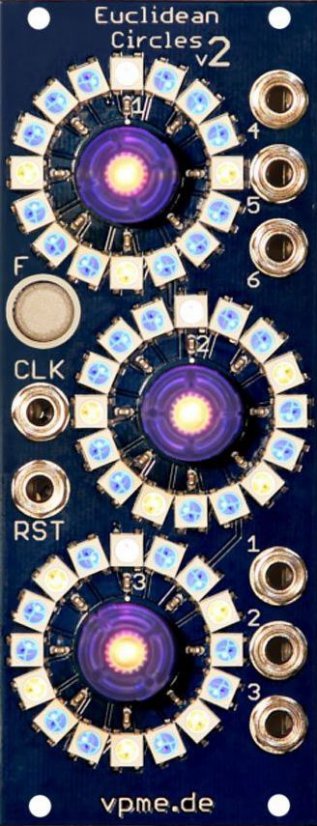
Euclidean Circles v2 by Vladimir Pantelic Musikelektronik

This module is available in either DIY or prebuilt form, and is very popular. It can run up to six separate 16 step Euclidean rhythms, with pairs displayed on each of the three LED rings. Step and offset parameters are input via knobs central to each ring. The only CV inputs are the clock and resets, and an external clock is required to run the sequence.

This v2 edition has some additional functionality, including user-edited sequences and a ‘function’ button which can be used for saving/restoring presets among other things.

One of my colleagues is an avid Eurorack user, and this module is an important part of his rig. When asked what he would change about this module if he could, he said that the biggest thing missing was a lack of CV control for the parameters.

Another slight issue I see with this module is the LED-rings. While these are excellent for sequences with a length of 16, they are rather confusing when using shorter sequences, and a linear sequence display may work better in alternative time signature applications.

More info here: http://vpme.de/euclidean-circles/

Pulsar by QU-Bit Electronics

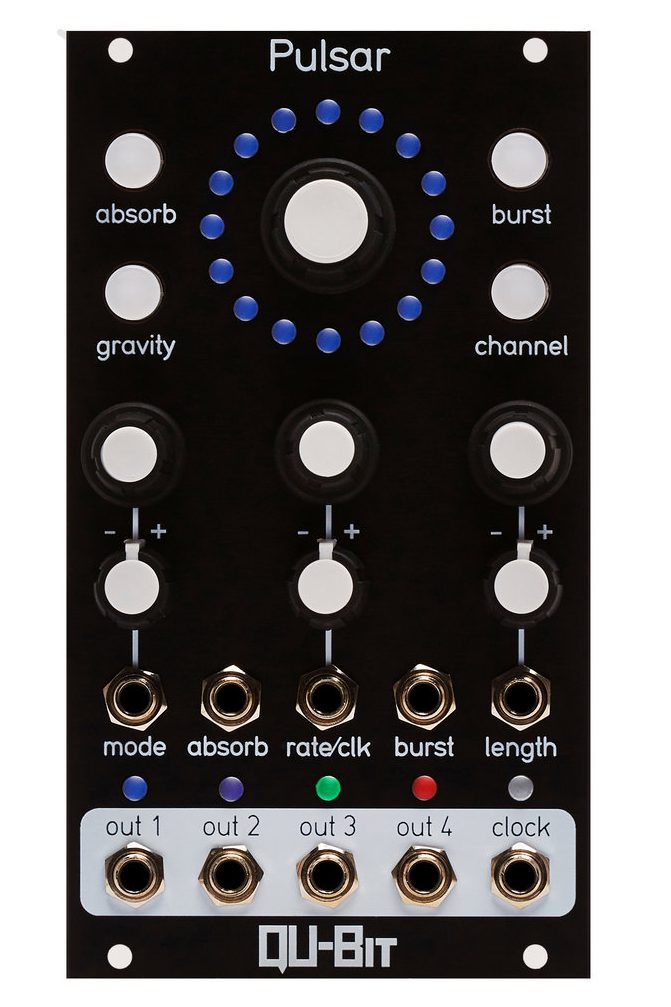
This module is a powerful polyrhythm generator, and contains several different generation algorithms. The product launch video of this module actually introduced me to the concept of Euclidean rhythms!

Four output lanes are available, and display is given using different colours on the single LED ring. Once again, I feel this favours 16-step sequence lengths.

The addition of an inbuilt clock (and clock output) is welcome, meaning that this device can become a master for other sequencers, and five inputs are provided, which affect the generated rhythms differently depending on the mode of operation selected.

More info here: https://www.qubitelectronix.com/shop/pulsar

Euclid by 2hp

This simple single-lane module has inputs for each parameter of the rhythm, and a single gate output. It also has pots for each parameter, with each value being determined by both the pot position and inputted CV. This allows for either standalone operation, complete external control, or a combination of the two.

The small form factor of this module is a big advantage for often overflowing modular cases, and multiple modules can be chained together if more that one lane is required.

The tradeoff for these size advantages is the lack of display, and no internal clock.

More info here: https://www.twohp.com/modules/euclid

Stoicheia by Rebel Technology

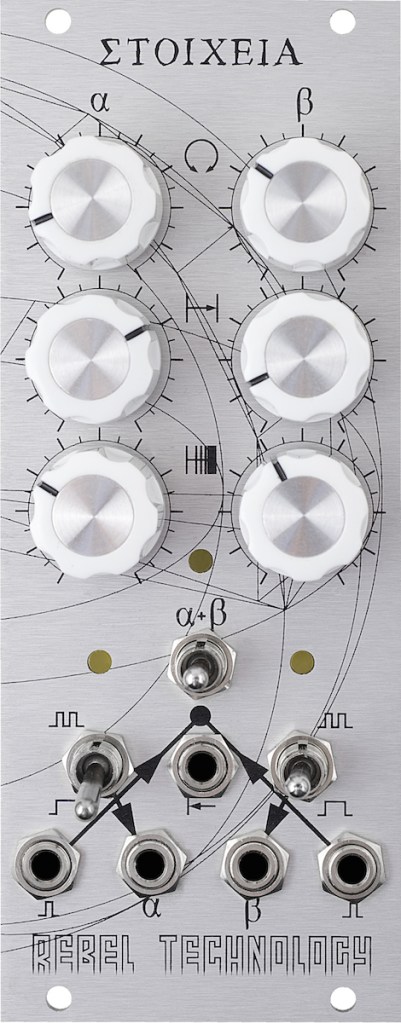
An interesting module with some advanced features for more complex rhythm generation. At first glance, this module runs two lanes of Euclidean sequence, with no CV control other than clock input, and outputs the two gate signals. There is no inbuilt clock and no display.

Where things get interesting are the three switches. Two of these change the modes of each lane from normal gating to a ‘flip-flop’ mode, where each event in the sequence changes the output state from on to off. This can be used to create changing note lengths, or to toggle parameters in a rhythmic fashion, and is rather unusual. The other knob links the two sequences back to back, meaning that you can have first and second halves of the sequence with different hit densities, or even different lengths!

More info here: https://www.rebeltech.org/product/stoicheia/

DIY Modules by various

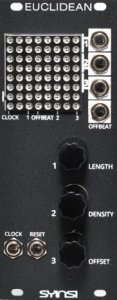
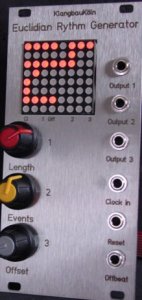
Finally, I found a few DIY modules, which appear to be similar to my ideas, based around ATMEGA chips and LED Matrix displays. They both lack built in clocks or any CV input, and use 8×8 LED matrices to display 16 step sequences, meaning that each sequence must be split over two lines. While this does solve the circular 16 step ring issue, it is still not ideal.

Some very useful build info can be found on one creator’s blog, here: https://syinsi.com/projects/building-the-euclidean/
A Couple of Purchases

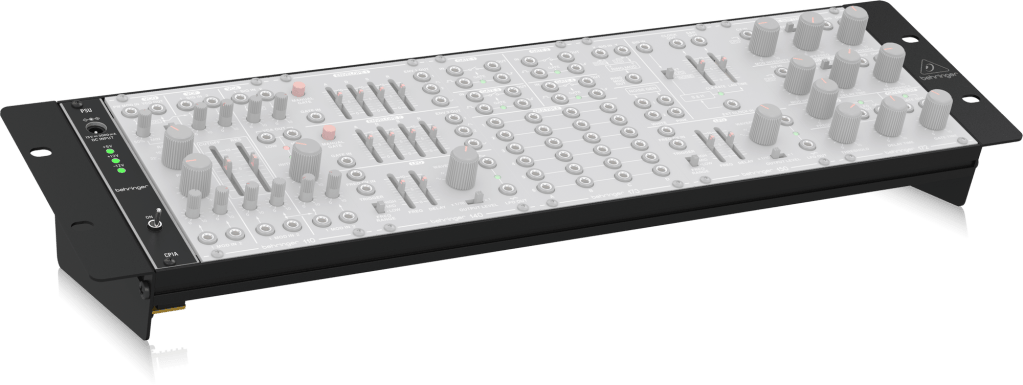
In order to meet the standards mentioned in my previous post, it made sense to purchase myself a Eurorack case (or in this case a skiff – a small case without a back) and power supply. The skiff can later be mounted in a standard rack case, meaning that it is relatively future-proof.

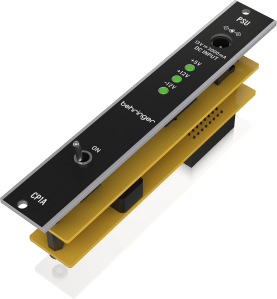
I went with this low-cost Behringer system as it meets all my current requirements and won’t be too expensive to replace if I blow it up! The power supply module included will provide 1A on the +12V and -12V rails, and 0.5A on the 5V rail, which should be more than enough for my modules, although if I end up expanding into a second case I will probably need a bigger power supply.

I also picked up a simple digital oscilloscope for analysis of both my own modules and those from professional manufacturers, so that I can compare output levels and waveform/timing accuracies. This isn’t a super fancy one, but it should do the job. Between this and my multimeter I should have most of my electronic measurement needs covered.

I also purchased a new soldering iron, so hopefully I can burn my fingers with higher efficiency in the future…

Moving to Eurorack

At this point in the project, it was time to start moving across from crudely constructed circuits in project boxes, to something more professional. The popular Eurorack standard seemed like the obvious choice, primarily due to the abundance of other compatible modules for my creations to work alongside.

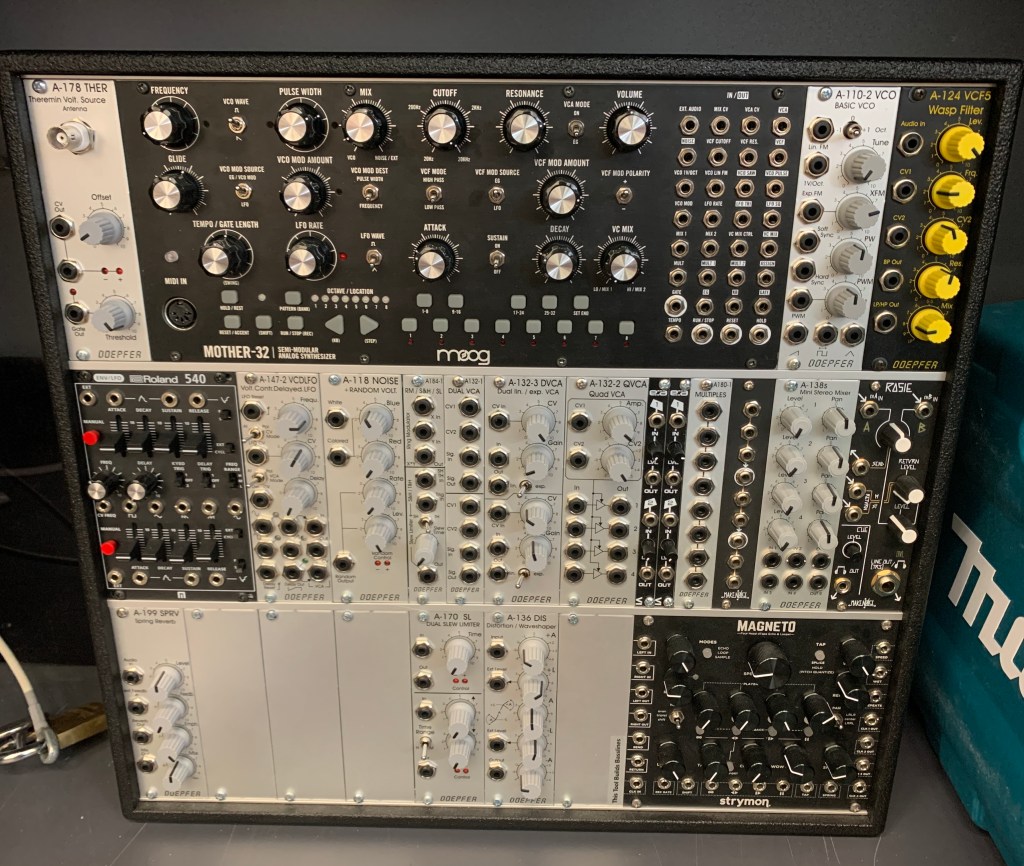
The UH Modular System which I assembled a couple years ago is comprised of Eurorack modules from several different manufacturers, including several from Deopfer’s range.

Eurorack is a standard first introduced by Deopfer in 1996 with their A-100 Series modular synth, and the market for compatible modules, both professionally manufactured and DIY, has exploded over the past few years. The standard comprises of three areas that I will need to be aware of in my design and constructions work:

  • The physical size of modules is to be 3U (rack units) in height, and measured in HP (horizontal pitch) units of 0.2″. Common module widths are multiples of 4HP. The depth is also an important consideration, and although there is no set standard here, modules deeper than about 3-4″ may have difficulty fitting into many cases.
  • Power connections must be made by a 10 or 16 pin ribbon cable, supplying +12VDC, -12VDC and GND, as well as an optional +5VDC if the 16 pin cable is used. This extended cable also houses the option for Pitch and Gate busses, although these are not commonly seen outside of Doepfer’s early modules. The 5V rail will be particularly useful for my Arduino chips.
  • Signals are sent between modules via 3.5mm TS jacks, and use different voltage ranges depending on the type of signal. Generally, audio signals will output between -5V and +5V, bipolar CV (LFOs for example) at -2.5V to +2.5V, unipolar CV (pitch) will be in the range from 0V – 8V with 1V/Octave, and triggers or gates are digital 0V – 5V pulses.

There is tons of information on the A-100 system and suggested circuits layouts, technical information etc on the Doepfer website, and referencing this will certainly become an important part of my project write-up further down the line. Annoyingly, their website does not allow linking to individual pages, but if you click the link below and then go Products>DIY Page (in the A-100 System) you can find this.

http://www.doepfer.de/home_e.htm

Guitar Setup

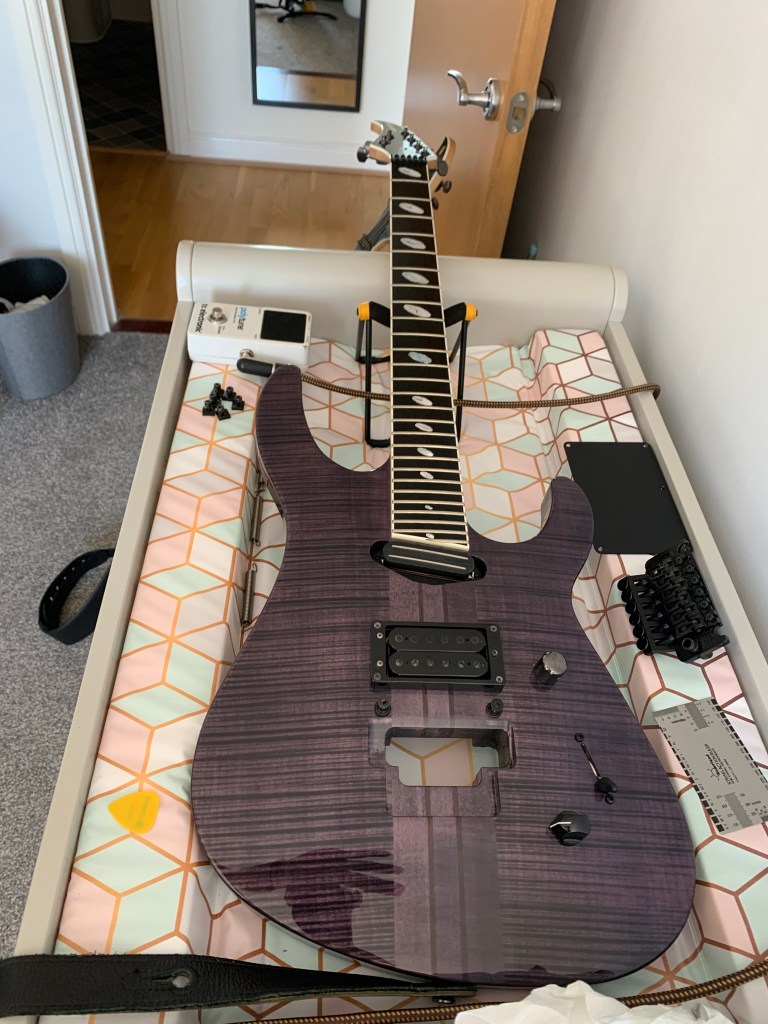
I had a little job to do over the weekend, setting up a couple of very nice guitars for a friend. One was to be tuned to Drop-C, and the other to Drop-B (my friend plays a lot of metal!), so I had to do some pretty aggressive truss rod and floating trem adjustments to get the string action as low as he likes it.

As a bonus, I discovered that a baby changing table makes a great guitar setup bench – a piece of knowledge that I will make use of in the future!

An Alternative Project

Recently I have been playing a new tabletop game with one of my friends. It is called Gaslands, and is effectively a car racing game using modified and repainted Hot Wheels cars. Cool!

While playing the game, I realised that there were a lot of dice and tokens getting in the way, and it would be way easier if certain information such as what gear each car was in, how much damage it had taken, etc. could be displayed on the cars themselves.

This would be a perfect Arduino project, although it would require me to miniaturise my circuits far further than before to fit into a Hot Wheels car!

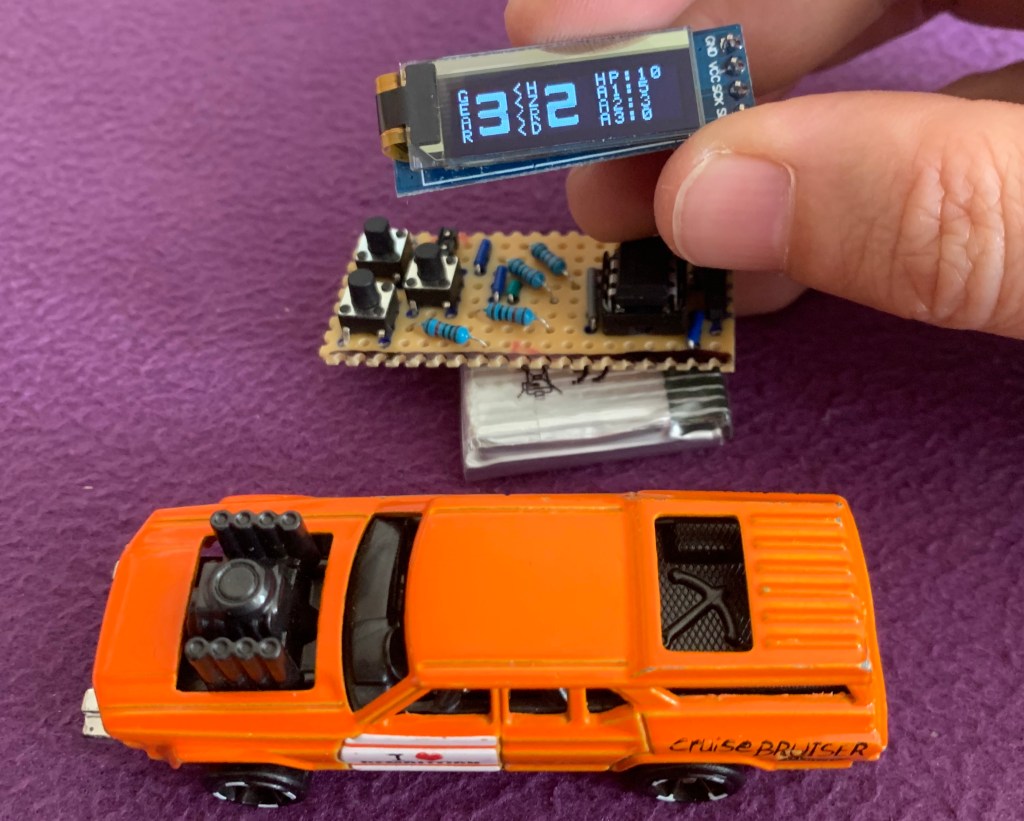
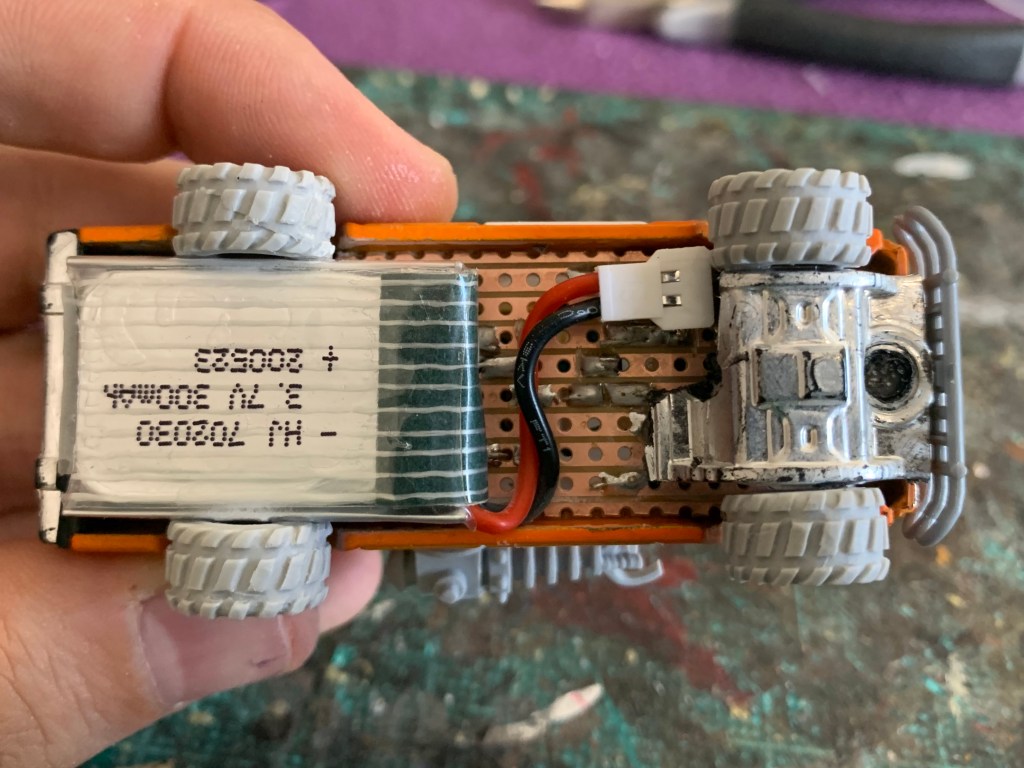
I did some research, and found some drone batteries and tiny LCD screens that might fit with a car. Rather than using a whole Arduino board, this time I would just be programming a microprocessor (the microchip that does all of the computation) as space would really be at a premium. As processing requirements were so low, I was able to go for an even simpler version of the ATMEGA328P used in an Arduino – the ATTINY85. This would still run Arduino code, and can be programmed by connecting it to a full sized Arduino board to ‘burn’ on my software, so it could then be installed into my car.

Small, fiddly components. Note the ATTINY85 on the circuit board just under my thumb. It really is tiny!

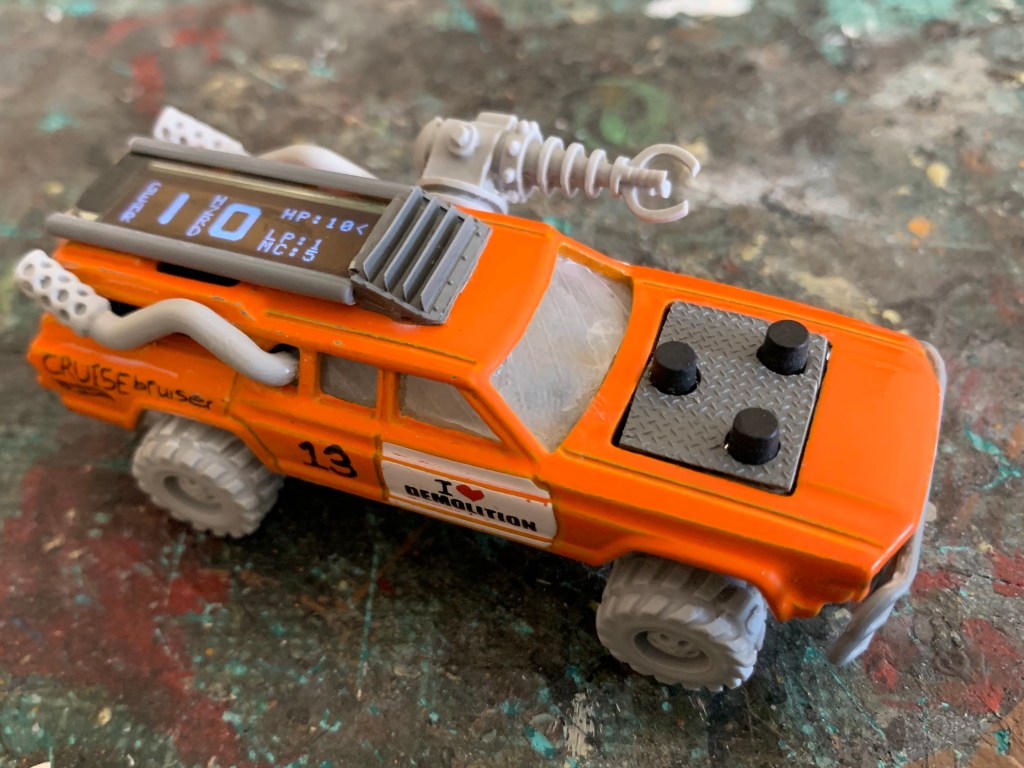
Once the software had been coded and circuit built, this was all jammed into the car and some modelling work was done to bring the whole thing together. Now I just need to get round to painting it and playing some more games!

The three buttons on the bonnet allow the values displayed on the screen to be changed or reset.
This tiny drone battery will run the circuit for about a week(!), and the cable shown can be unplugged for charging, as well as acting as a crude power switch.

The Chord Sequencer

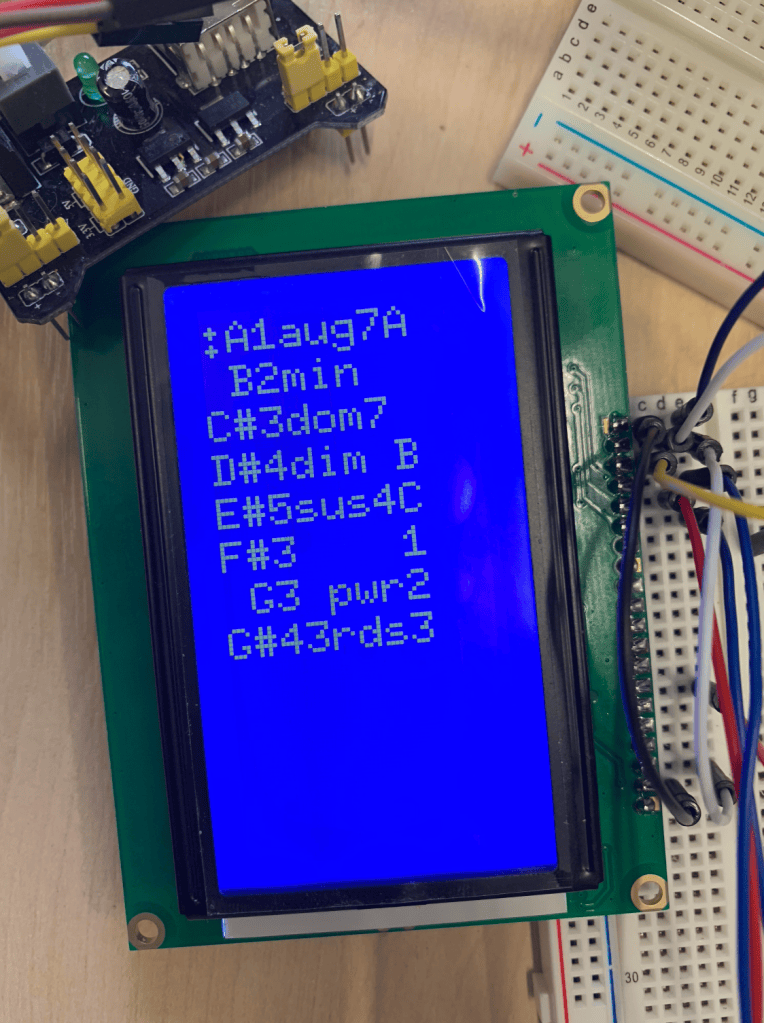
This final module was never completed, but the plan was to create a way of setting up complex chord sequences using the chord format defined in the chord oscillator module, and then sending the appropriate values out as CV, with a trigger sent at the moment when switching to the next chord was needed.

While the code was not fully written and the hardware was not built, I did begin the programming, and experimented with using a larger LCD screen than the one found in the chord oscillator.

Create your own website, free on WordPress.com.Create your own website.
Start free