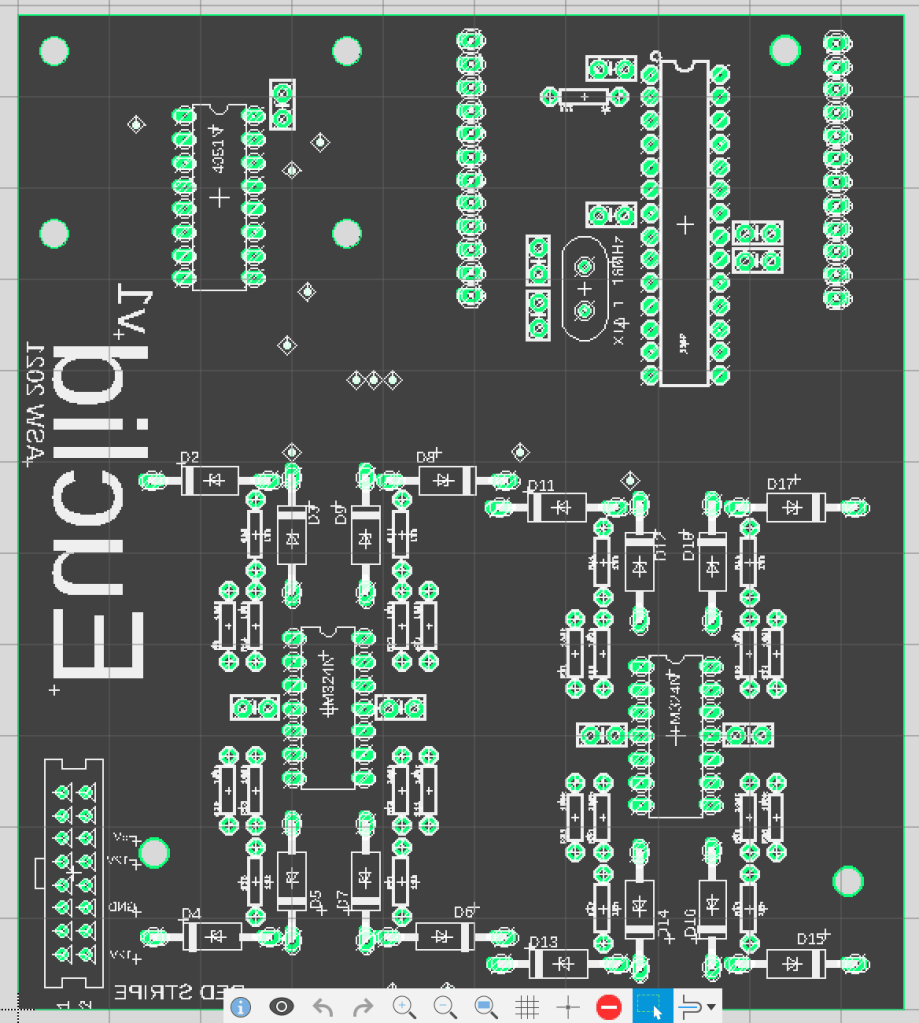
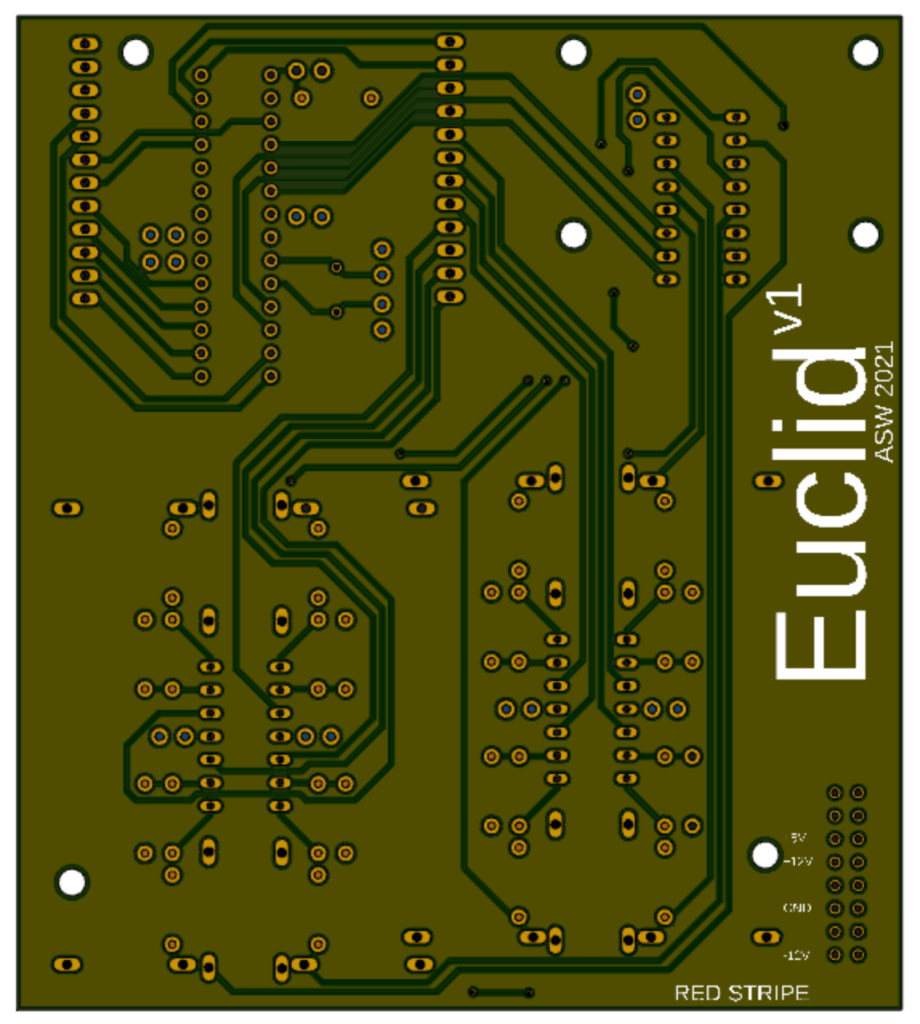
Next up was the logic board – the one containing all of the ICs. There were no particular layout requirements for this board other than the positioning of the header pins at the top and the large screw holes, so I tried a few different iterations of component placements before settling on the one shown here. Once again, I used the top half of the board for power and put signals on the bottom half, although this time a few vias were needed for power, as there were not just +5V and GND to consider, but also +12V and -12V.
This time I could not change the positions of the header pins to simplify routing, as these were already set by the first board design, but I could reorder which ATMEGA pins were used for which I/O, so most of these will need to be tweaked in my code. I added silkscreen to the back of this board, with the module name and version number, as well as a few reminders about the power connector’s polarity. I am pretty happy with my routing on this board – I just hope that it all works when it arrives!
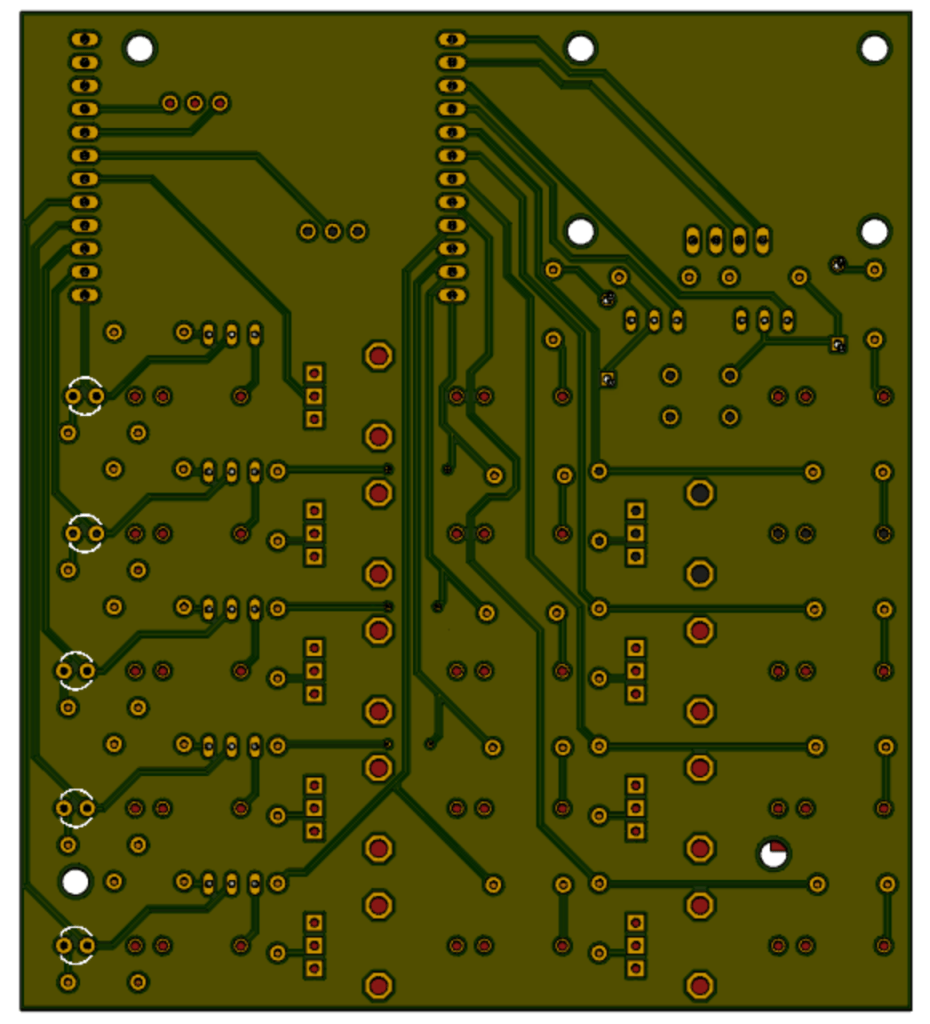
I have never designed a circuit board before, so this was quite a tricky undertaking! I did some research online, and the general consensus is that the most important step in board design is component layout. Ensuring that components are arranged in logical groups with signal flow taken into account will minimise the length of traces needed, and reduce the number of times they need to cross over. On this particular board, the placement of most parts was dictated by the faceplate layout, so I started off by placing the jacks, pots and other interface elements first, and then added any related circuitry that would fit on the board as close as possible to these. The two sets of header pins at the top right will be used to connect the front and back boards, and the large space at the top-left is where the display will sit. The four large holes in this area will allow for the display’s mounting holes, and the others are to secure the two boards together.
The views available in Fusion 360 do not translate well to screenshots, so this image is taken from a 3D render of the board, also made in Fusion 360. In this case, the bottom side is shown as this is where most of the interesting routing resides.
As I had decided to go with a professional manufacturing plant, I had the option to use a proper two-layer board with through-hole plating and vias. It therefore made sense (at least in my mind!) to do all power and ground connections on one side of the board, and all signal routing on the other. I rearranged the order of the pins at the top to try and make routing as simple as possible, and ended up completing this first board using only three vias (connections from the top side of the board to the bottom). Once all traces had been run, I filled all remaining space on both sides of the board with a ground plane.
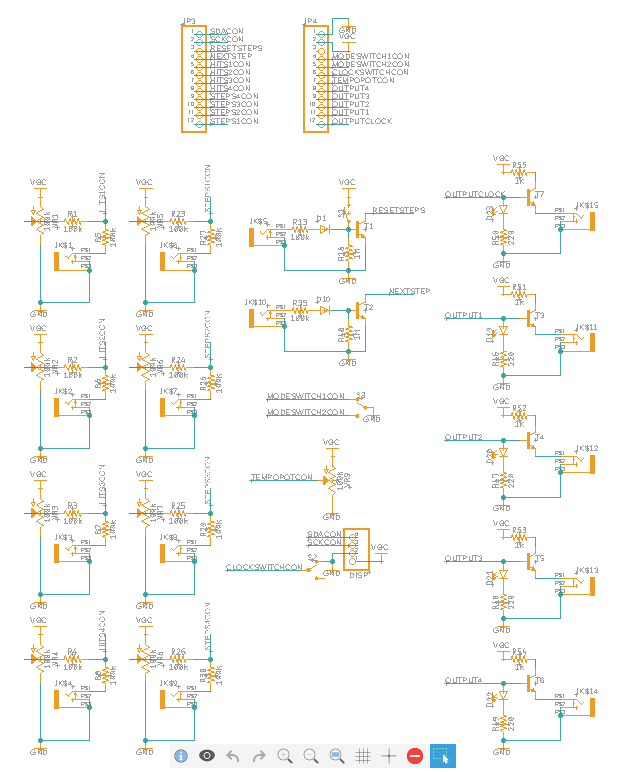
The I/O board half of the schematic remained relatively unchanged other than the addition of the header pins.
The next step was to design my circuit board layouts using the schematic I had designed, but unfortunately I quickly came to a frustrating realisation – Fusion 360 will not let you create multiple boards from one schematic!
This meant that I had to split my schematic in two – one half for the I/O board with all of the jacks and pots, and a second for the logic board with all of the ICs, voltage regulation and power input. Both schematics also needed a pair of header pins to connect the two boards.
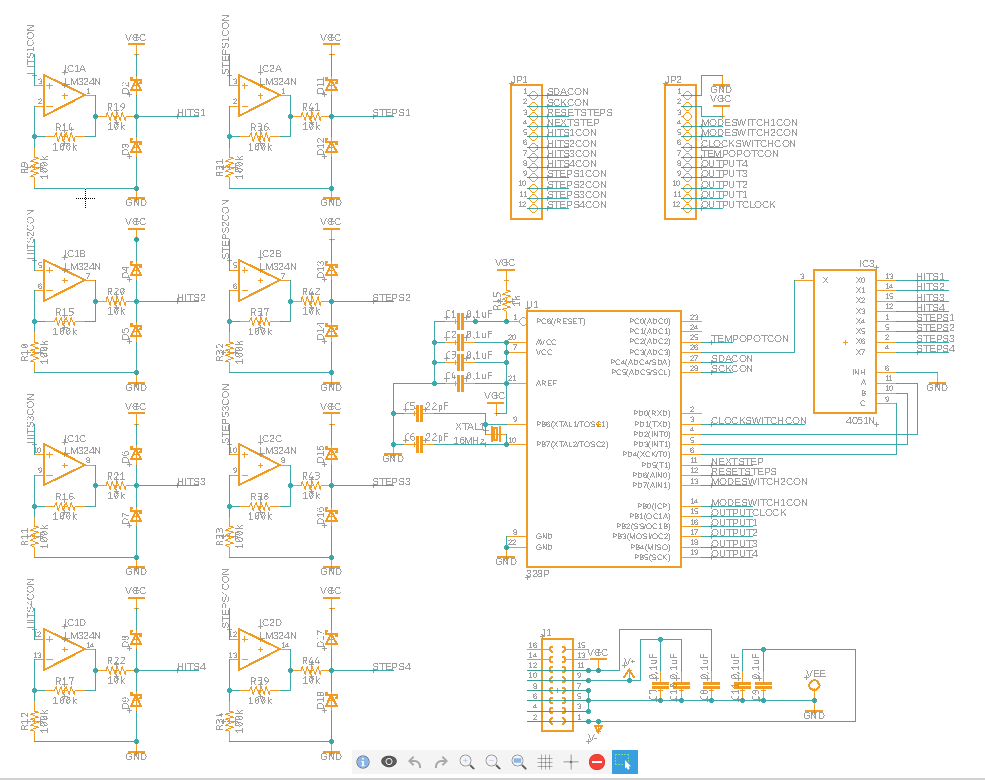
The ‘logic board’ also gained some extra decoupling capacitors (these are attached to the power pins on the schematic but will realistically be as close to each IC as possible), and I also added the 16MHz crystal to the ATMEGA328p. I do not necessarily need to actually solder this to the circuit board, but it will be much easier to do this if the board is designed for it!
I now needed to document my full circuit plan as a schematic, so that this could then be converted into a circuit board. I used a piece of software called Autodesk Eagle, and then moved across to its big brother Fusion 360 as this has a free student licence – wahoo! I had to do a bit of reading up to understand how to create a neat schematic without wires running everywhere, in particular the use of renaming connected nets was very useful.
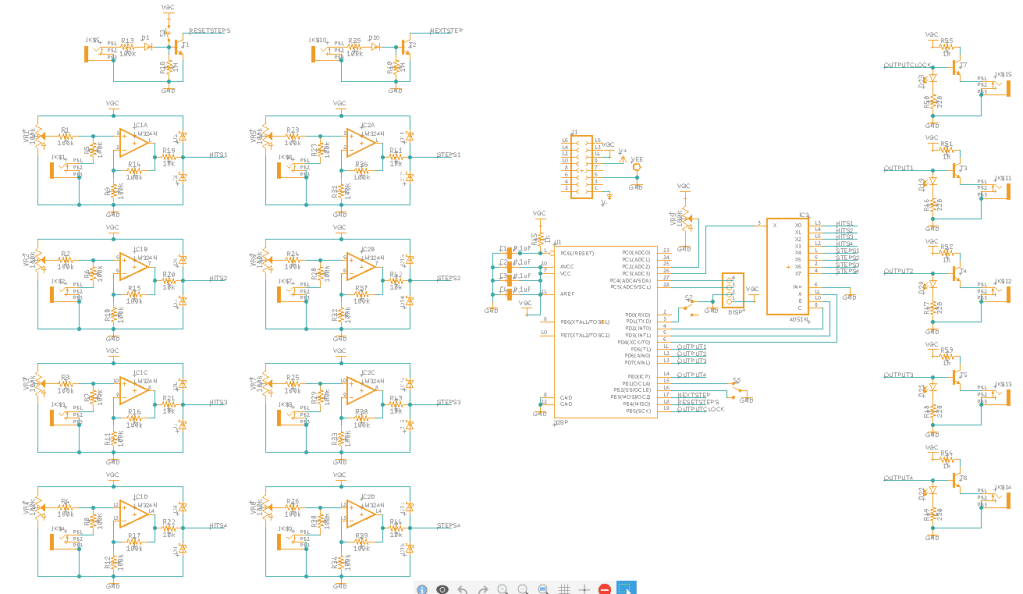
The repeating sections are the inputs and outputs, with the inputs on the left and the outputs on the right. Note that the opamps are actually four to a chip, but these are split out in the schematic to keep things easier to read. The large rectangle in the middle is the main IC, with the mux chip to the right above it.
The small rectangle at the top is the power header. Due to some of the components available in Fusion I had to rename +12V “V+” and -12V “V-” so that it would auto-connect them to the ICs’ power pins.
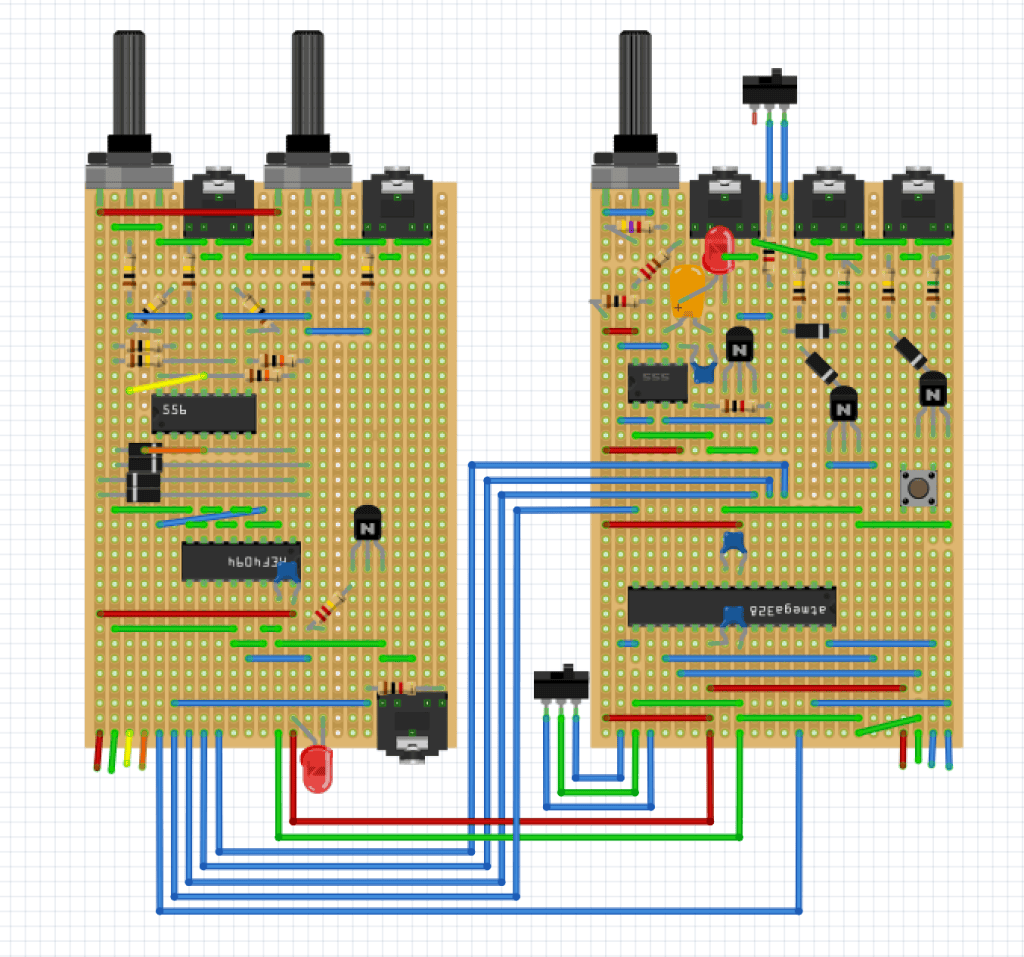
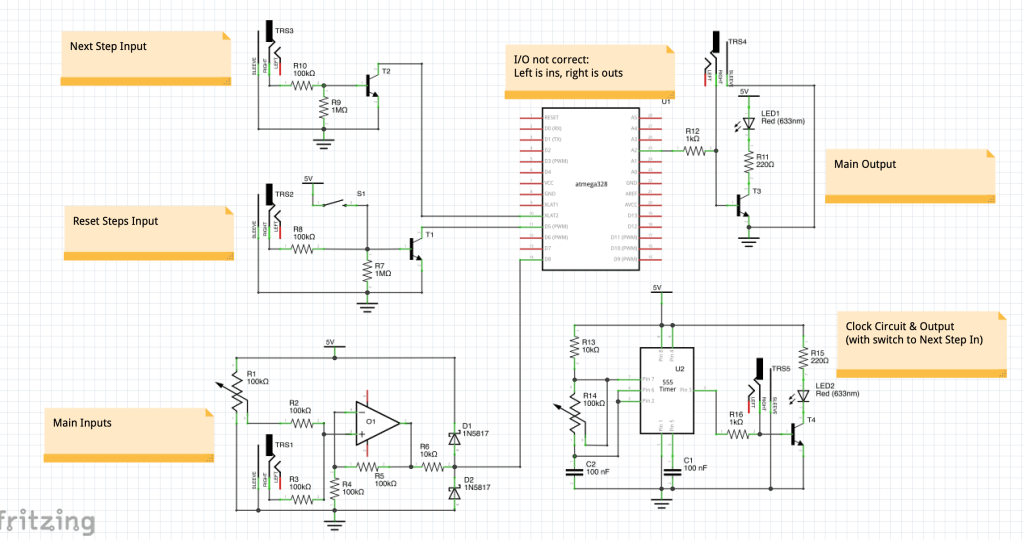
Last week I built another prototype of the module on stripboard. As designing and building stripboard takes ages I didn’t do the whole thing, but just a single lane of the sequencer and all other ancillary circuits. The input circuits and voltage limiting worked perfectly, but the output circuits were outputting a rather wimpy 4.2V (I am aiming for 5V). Also, something went wrong with the 555 clock circuit. I spent a good few hours trying to figure this out but could not crack it. During the testing process I realised that the duty cycle of the clock would present an issue if used to trigger other modules at high speed (the duty cycle for an astable 555 circuit must be a minimum of 50%).
To combat these problems, I made a tweak to the output circuit (the output jack is now driven by the transistor and the output from the IC pin is connected to the LED – these used to be the other way around). I also decided to completely scrap the 555 circuit and use the microprocessor to generate timing instead. This will look identical to the user, with the corresponding speed pot now just connected to an ADC on the IC instead of to an analogue circuit. It also gives me the advantage that I can display the tempo on the display (if there is space), and can set my high/low values and the response curve more easily. It also eliminates the duty cycle issue, and reduces the size of my circuit.
Unfortunately, due to my newly realised need to rush things, the updates to the code to add in the timer are not written yet, and in fact nothing has been tested beyond this point – everything has been based entirely off theory (and my previous tests). Hopefully the updated schematic and board designs in my next few posts do not contain any mistakes, as If they do I will not find out until much further down the line!
I have not posted on this blog in seven days. That does not, however, mean that progress has not been made! In fact, the opposite is true – I have been working on the design so much that I have not found the time to post about it as well, so my next few posts will be a bit of a catch-up.
The reason for the rush was an email conversation with the UH engineering department. They had kindly offered to help out with the production of my circuit boards, but unfortunately there were a couple of restrictions caused by their equipment – most notably a lack of through-hole plating, electrically connecting the tops and bottoms of each board. A quick bit of thinking about my intended layouts showed that this would not work for me, and so I needed to get a manufacture order placed ASAP. I managed to find a company that should be able to deliver my boards by the end of July without having to spend too much (most UK quotes I had received were over £100!), but each passing day before submitting my designs meant one less day to construct the finished product and do my write up – and that assumes that there are no mistakes on v1 of my board!
I managed to get my order placed yesterday, so the pressure is off a little now, and I can do some catch-up blogging. My next six posts will cover my processes from the last week:
Today I tested a couple of the circuits from my previous post with the diodes and transistors that had arrived over the weekend. I made a couple of small tweaks but nothing groundbreaking.
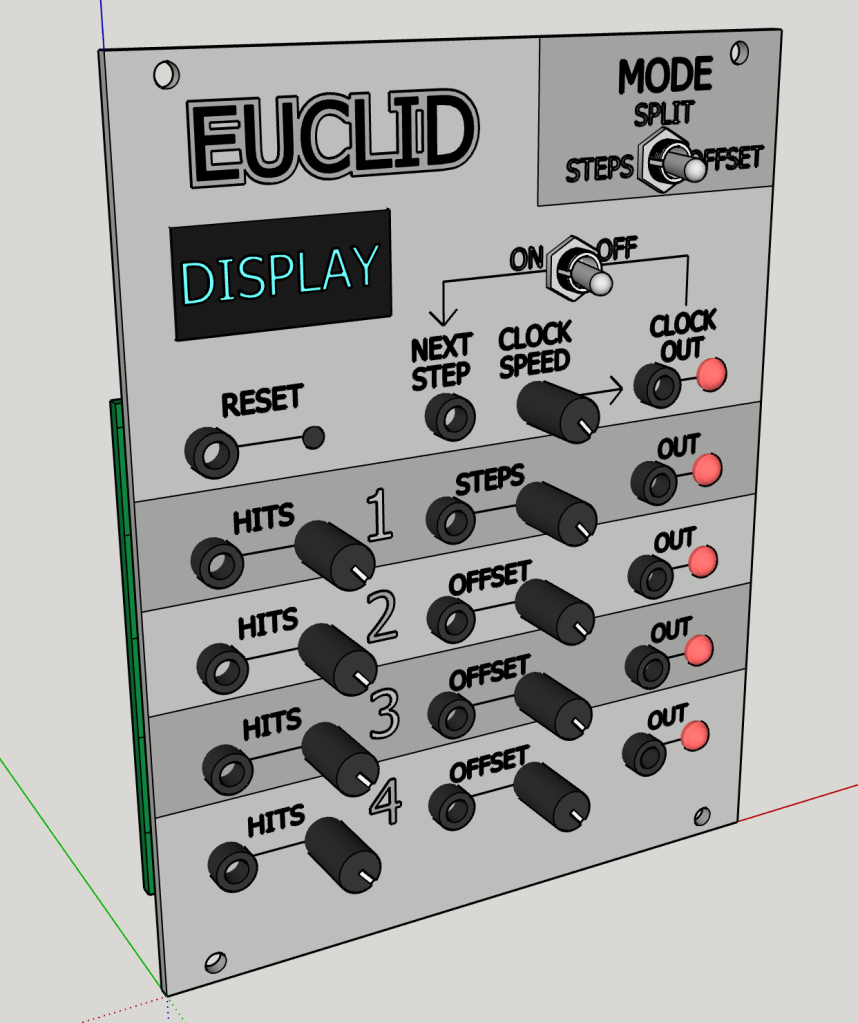
My big job for the day was creating a scale model of the faceplate in CAD, to allow me to figure out how big the module needs to be and therefore what size display I can realistically fit onto it. After placing the required controls and jacks with enough space to comfortably turn the knobs (hopefully!), I ended up needing a 20HP wide module. This does not leave enough height for any of the display types I have been prototyping with, but does leave enough for a 1.3″ LCD, similar to the one I used on the car model described earlier in this blog. Annoyingly, most displays seem to have a footprint much larger than their useful screen area. The design layout and wording is just a first draft, but I am pretty happy and would imagine the finished module will look somewhat similar to this.
I also did some research into PCB printing and it looks like I will need to either spend a lot of money to get these produced in the UK (£100+!) or go with a Chinese producer that could take over a month to arrive. As I will need two boards – one for the I/O components and one for the rest of the circuitry, I will likely need to go with the Chinese option.
Today was another busy day – I completed the majority of the code for the module, and also worked on plans for some of the analogue circuitry required!
The ‘Next Step’ and ‘Reset Steps’ input buttons now function, and the module can step through sequences and blink the yellow LEDs at the appropriate times. Once hooked up to my analogue clock circuit this will mean I have a working sequencer!
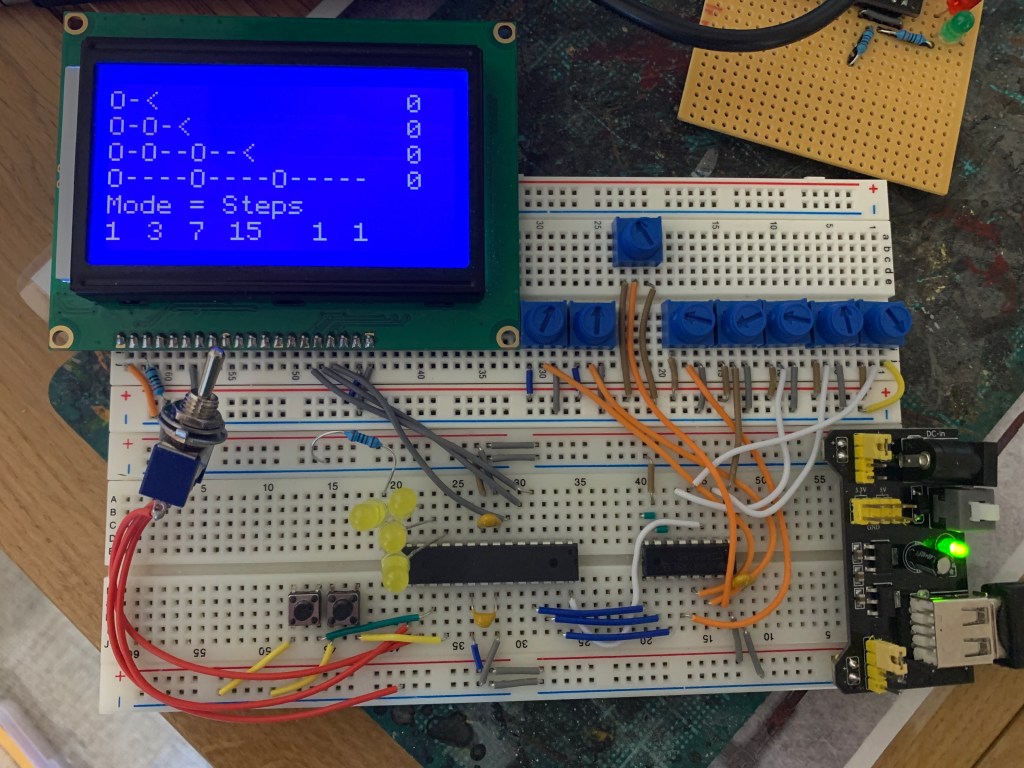
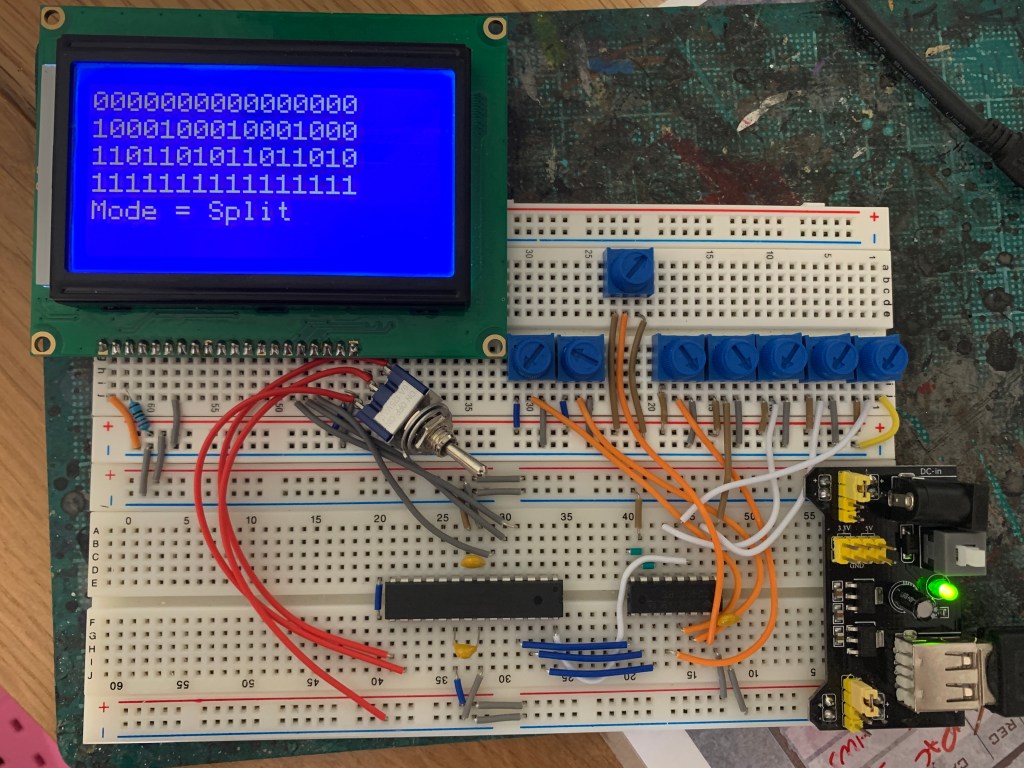
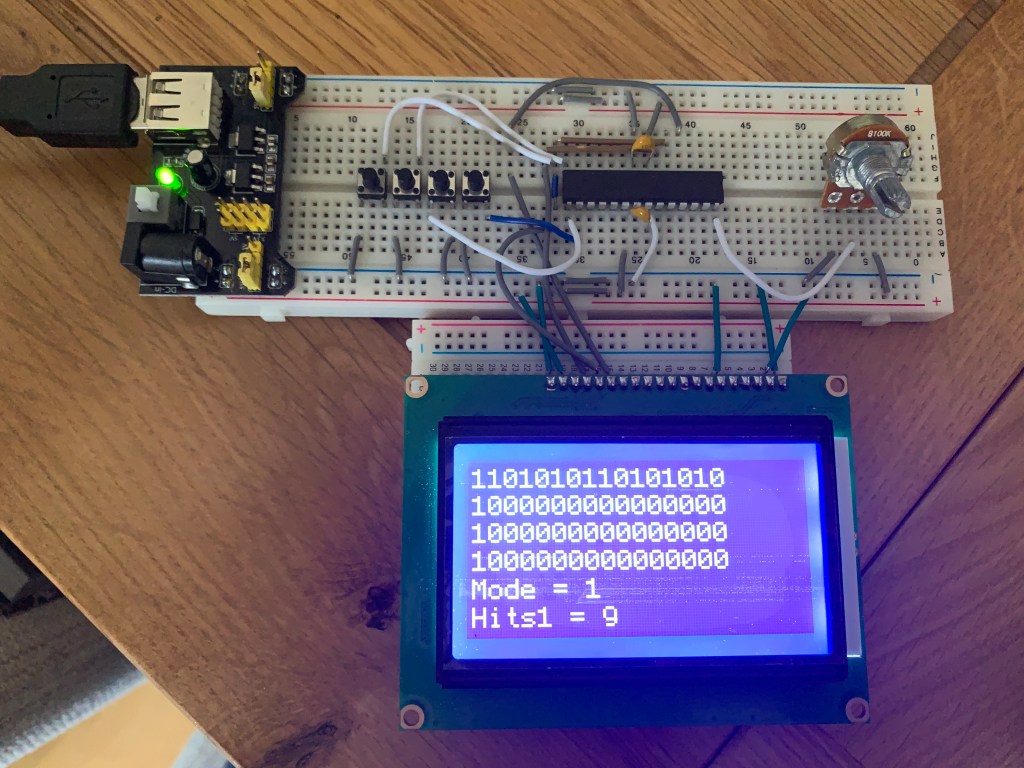
While the current display is only temporary (I think it will be too big to use on the final module), I did a bit of work on the displayed information to help with debugging. The sequences now display as “O” and “-” characters to make things easier to read, and blank out any unused steps in sequences below 16 steps. The zeros at the right in the picture show the offset values for each lane, and the first four numbers underneath show the next step for each lane. The last two ‘ones’ are to do with the next step button state as I had a few issues getting this to work.
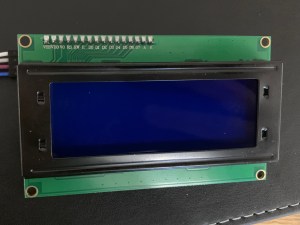
An alternative screen turned up in the post today – this one is a 20×4 character display – enough room to show all four lanes with a few spaces for some extra info. Unfortunately, it turns out it is nearly as big as the 128×64 pixel display I am using in the prototype! I will need to do some measurements and figure out displays further down the line…
I also did some more work on the analogue schematic from yesterday. I had posted this on Reddit, asking for suggestions (or to see if I’d done anything stupid!), and got some good advice and a great link to the schematics to Mutable Instrument’s Grids, which is fundamentally similar to my module. I decided to stick with my input/output plans rather than copying MI’s as theirs require ‘rail-to-rail’ op amps which are far more expensive than the ones I was hoping to use. I did however manage to use their advice to minimise my circuit down to a single op-amp. I built this and tested it, although I am still waiting on my Schottky diodes so cannot yet confirm whether the voltage regulation is effective.
I also did some first drafts of the other input and output circuits and my 555 clock generator, and ordered the transistors needed to build and test them.
My multiplex chips turned up as planned, and so I really got stuck in today. Firstly, I rebuilt my ISP (programmer) onto a piece of stripboard. This is something I will need to use a lot in the future, so building something a little more permanent made a lot of sense. It also freed up one of my breadboards, which would be useful for the next part of my day – building bigger breadboard prototype utilising the CD4051 multiplexer chip, as well as a proper mode switch and eight pots rather than just the one.
This building process was done in tandem with a lot of coding, and I have ended up with all modes and inputs working (the multiplexer works like a dream!). Currently there are no outputs or the ability to actually run a sequence, but that will be a job for tomorrow…
The one pot out of line with the others is nothing special – it has just been moved as a small area of my breadboard wasn’t working properly – an issue which took me about half an hour to rectify. D’oh!
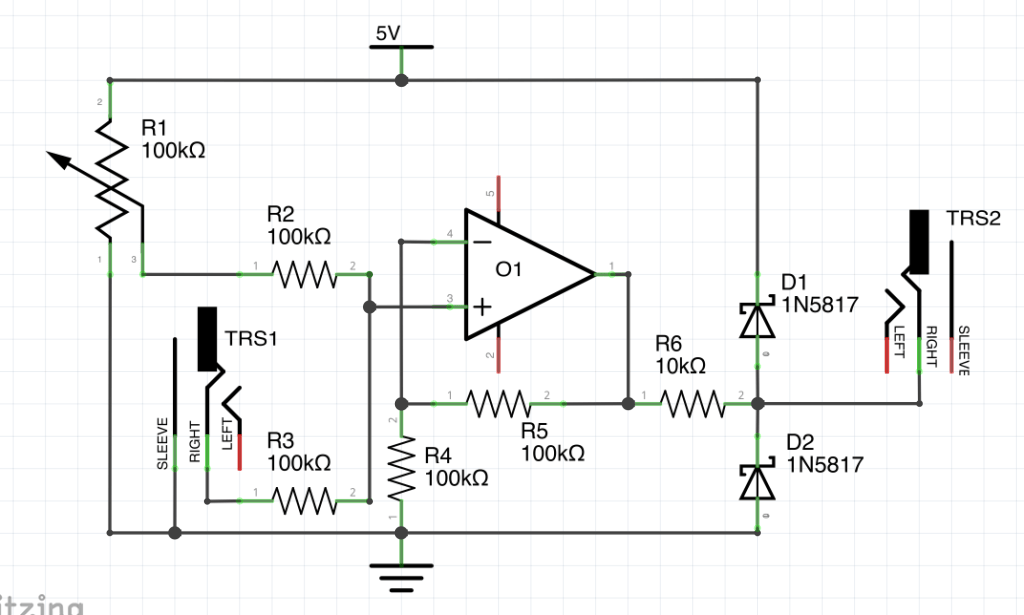
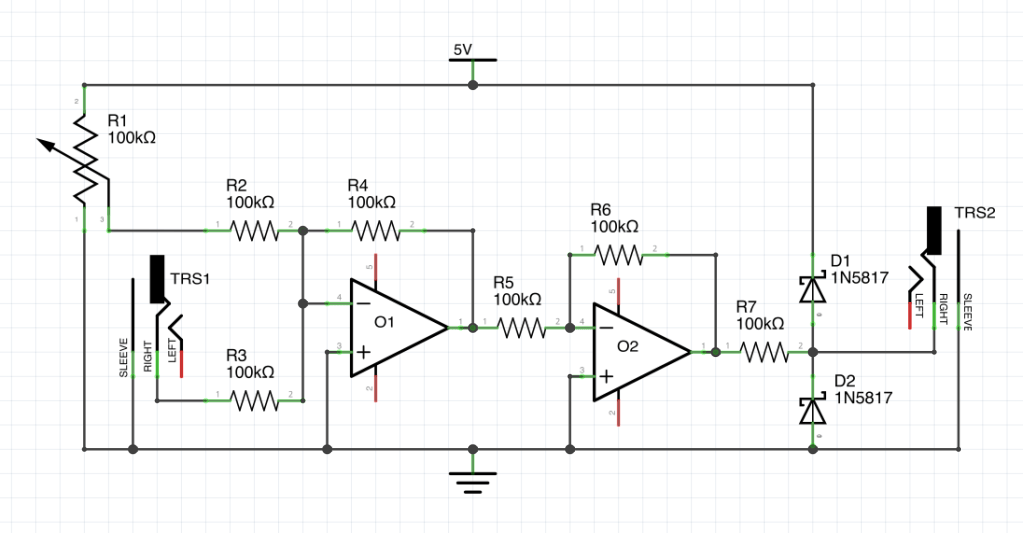
I also had a bit of a think about how the CV inputs will work. At the moment I am just using pots with a nice easy voltage range from 0-5V – exactly what my ADCs can work with. However, my plan is to augment each input with a CV control as well, mixing the 05V from the pot with an external source – most likely an LFO or another sequencer. Eurorack modules could potentially throw anything from -12V to +12V into my inputs, so I need to make sure that my circuitry is protected, and also that my expected CV input range (-5V to +5V) works nicely with my inputs. The diagram below is a first attempt at a design that will achieve this. The section on the right with the diodes should limit the signal to between the 0-5V range that I need. This is based off some schematics from the Doepfer website. I will need to order some parts and test this with a multimeter next week…
Note that the op-amps need to be connected to +12V and -12V rails, so I will need to get out my PSU module to test this circuit.
Amazon Prime is a wonderful thing. My ATMEGA328p chips turned up yesterday so I have managed to get a good start on the prototype mk2 build.
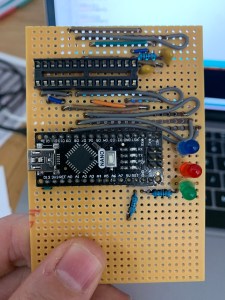
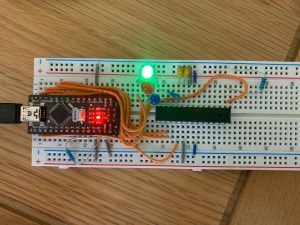
Firstly, I needed to be able to burn my code onto the 328 chips, so I built this programmer board, which uses an Arduino NANO. It took me a while to get the bootloader just right to allow the 328p to run without the 16MHz crystal which is usually recommended, but as I will not need this level of precision for my project I feel that being able to remove this component and its associated capacitors was worth the effort. The LEDs on the board show me when things are working (green), if there is an error (red) and if data is being transferred (blue).
Once programmed, the chip is then transferred over to my prototyping board, which currently consists of a PSU (at the left), four buttons (two are the buttons from my design and the other two replicate the mode switch which I need to purchase), one potentiometer (to start giving me analogue input voltage) and an LCD screen. The screen is just for testing and debugging purposes, and I will likely use a very different type of display (or none at all!) for the final product. So far, I have managed to get the mode switch and analogue input working (currently controlling the fist lane’s number of ‘hits’), and have recycled the sequence generating part of the code from the first prototype.
Next up will be the multiplexing – hopefully my CD4051 chips turn up tomorrow!