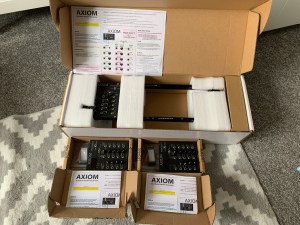
Once again there has been a gap in my posting here, and while not a huge amount has happened design wise, I have reached a rather significant milestone – tomorrow I will be giving out three units for testing by other people!
Since my last post here, the main changes have been:
A second version of the I/O PCB was designed and ordered, with the modifications mentioned in a previous post.
Output trigger time was increased to 2ms, after a suggestion from a colleague.
Max tempo was increased to 400bpm, and scaling was added to allow the tempo pot to remain useful at lower tempos with this addition.
Some other minor bug fixes in the software.
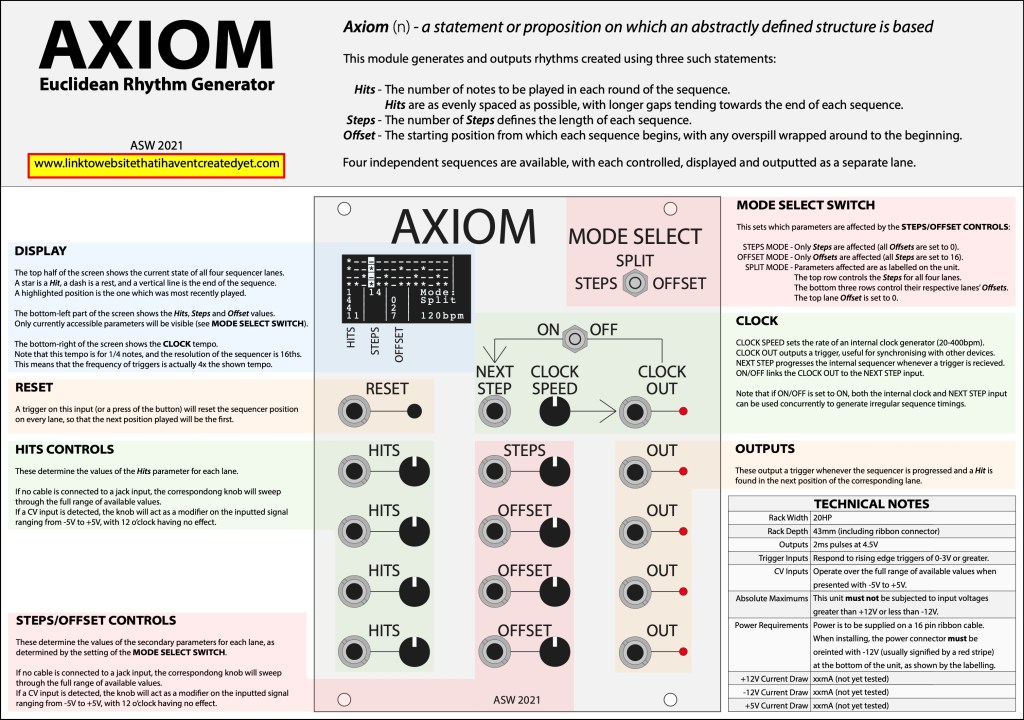
A manual was designed and printed to go with the test units (see below).
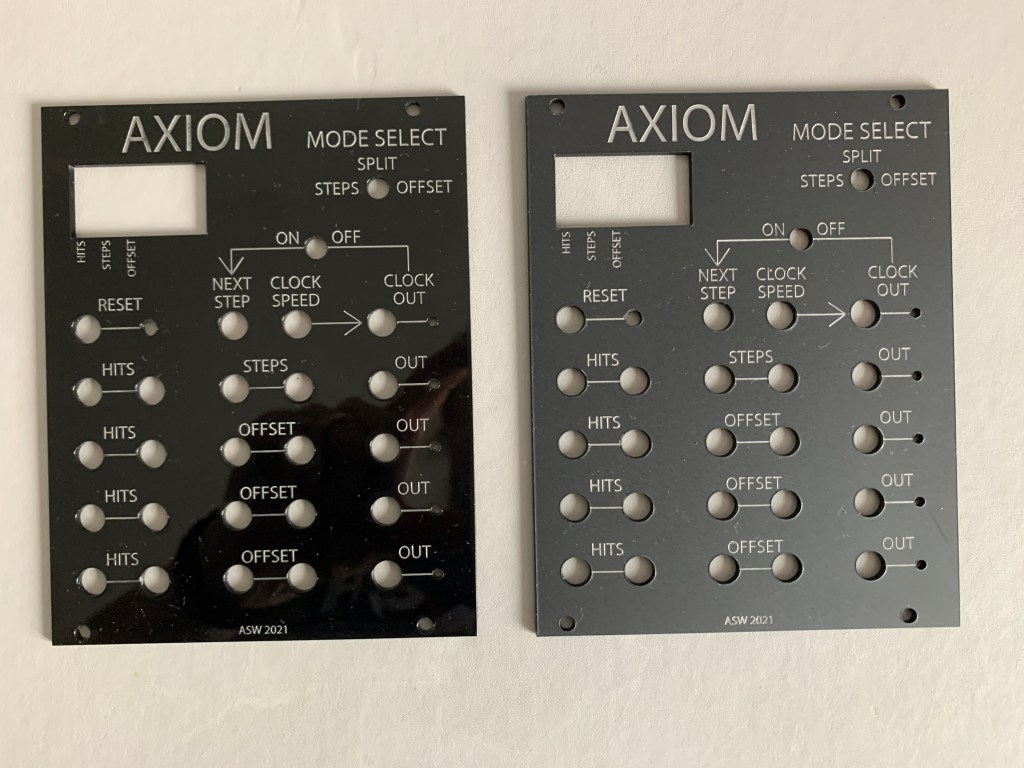
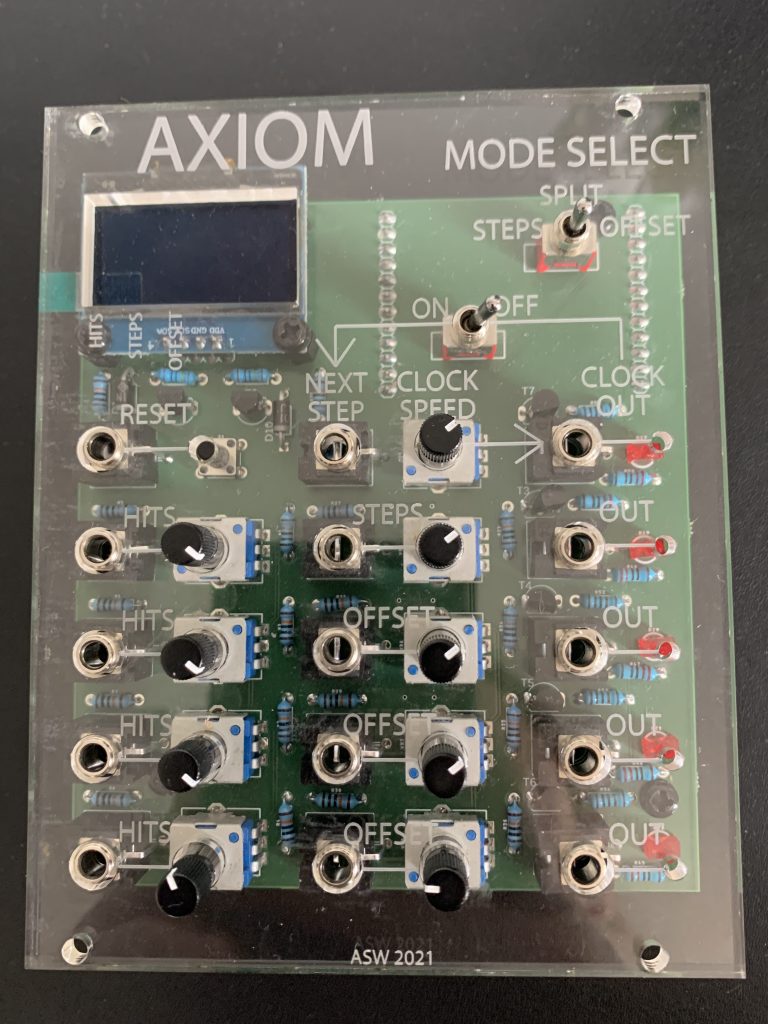
Firstly, my 2mm acrylic sheet turned up in the post, so I got my proper faceplates laser cut. I decided that adding silver paint into the etched areas would give the best effect, so gave this a go, and am really happy with how things turned out! However, the module was still visibly shiny and reflective, which stood out amongst other modules, so I sprayed the faceplate in a matt varnish. This has really upped the professional look of the unit, and I am now quite happy with this as an alternative material to the Doepfer suggested aluminium.
Next up, I did some work on the software. I removed the whole highlighted parameters idea as this was causing issues, and instead made only the editable parameters visible – this actually simplifies things and is a better solution that I may not have thought of without the software bugs! I also fixed a couple of other minor bugs (caused by code typos – oops!) and increased performance by modifying the tempo screen update to only run when the tempo changes, not every cycle. This seems to have fixed my clock/timing issues. I did some tests with my oscilloscope which gave some pretty odd tempo results (110 BPM was reading as 20% faster than it should have been where 120BPM was slow?!), but I think this is a problem with my (cheap) oscilloscope as using a simple tap tempo along with the module suggests that all tempos are in time – certainly not 20% out!
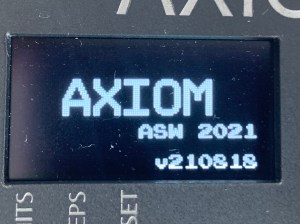
Finally, I added a splash screen to the unit when it powers on, with a simple animation where the letters appear one at a time. This also shows the software version number, which is made up of the date that build was compiled (YYMMDD).
I have also updated the IO board PCB design to incorporate the extra resistors mentioned in a previous post, and ordered some new PCBs and enough parts to build up three modules, so soon I will have enough units to hopefully send some out for testing!
Today I added the resistor ladder mentioned in my previous post, improving the usefulness of the CV inputs. This is not a particularly pretty fix, as it involves cutting eight traces and then adding an extra 16 resistors, but at least these are all sandwiched between the two boards and not immediately visible.
A quick test with the modular confirms this has worked, but also reminded me that sometimes I forget to take photos of what I am doing… oops!
My next main task will be the project write-up, so I may not have much to blog about from this point onwards until a finished product is in my hands – how exciting!
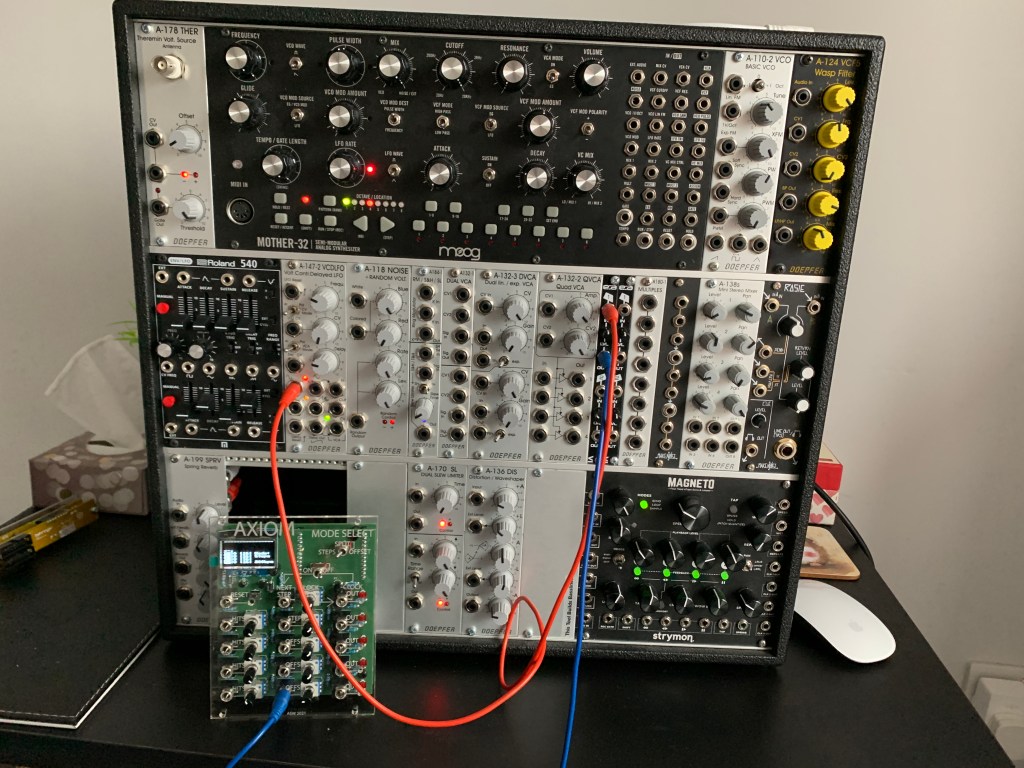
Yesterday I popped in the University to get my test faceplates laser cut, and while I was there I picked up the UH Modular System to do some testing with.
Firstly, my module does indeed fit into the case and the screw holes are in the right places! As mentioned in my previous post, the faceplate is thicker than planned, so I couldn’t actually screw it in place, but it definitely fits!
I had a play around and tested out all of the parameters, both by connecting Axiom with the other modules and checking that I got the expected results, and also by comparing my outputs to similar gate outputs (particularly on the Moog Mother 32) using an oscilloscope.
This photo was taken after removing most of my patch cables from testing – previous to this you could barely see the modules…!
The results were generally very good. Everything worked as expected! My outputs are slightly low in voltage, at 4.63V rather than the 5.02V the Moog puts out, but every module was successfully triggered but this, so I am not too concerned. The CV inputs work, but give a more useful range of control when the usual 10V swing of a CV signal is halved by an attenuator module, so I will see if I can modify my circuit to do this internally (a simple resistor ladder should achieve this if there is physically space to mod the board).
Now that the module itself is mostly operational, I needed a way to actually mount it into a Eurorack skiff.
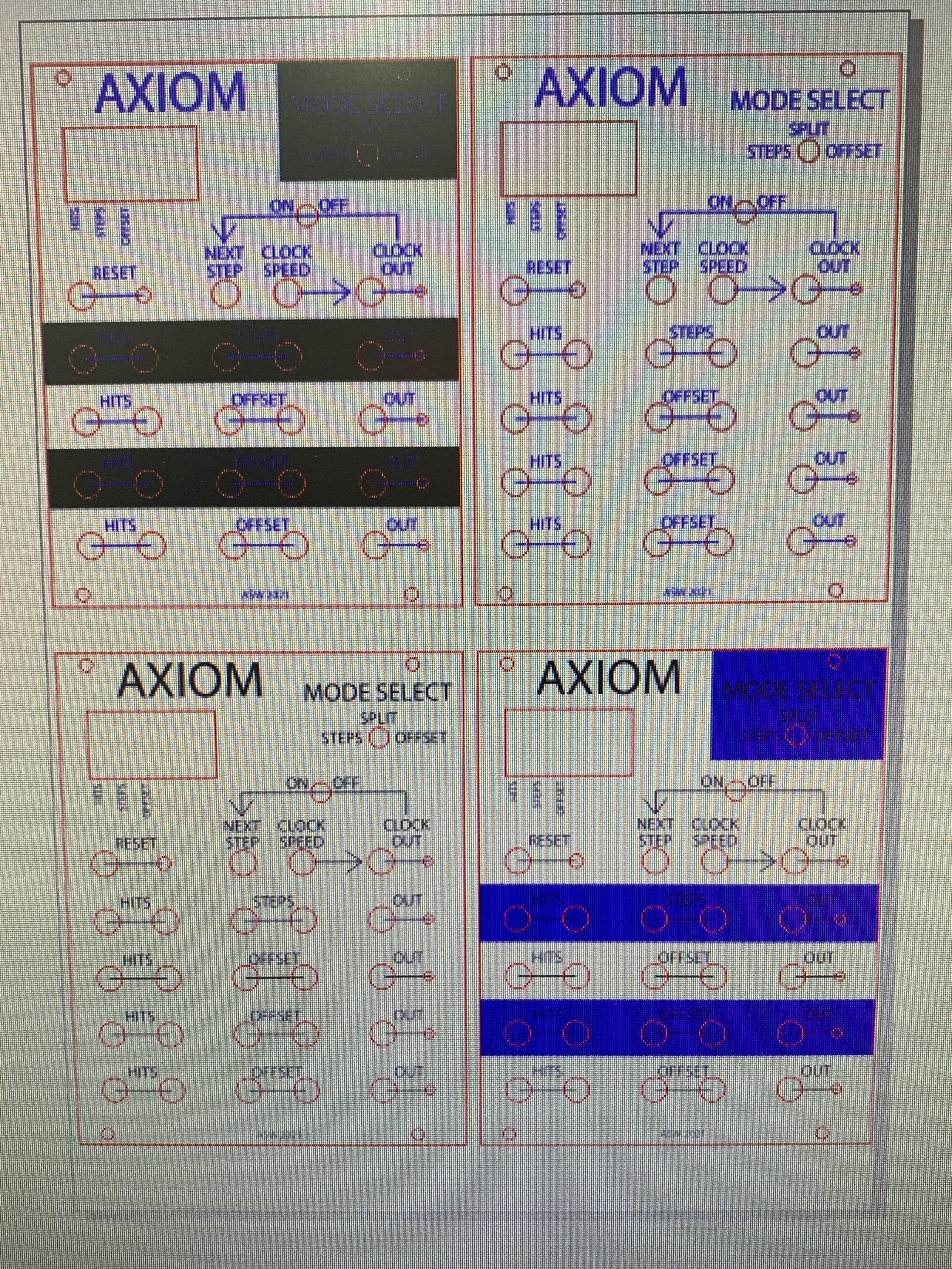
Four slightly different versions of my faceplate for testing. The blue and black are different types of etching, so I decided the best thing to do was try different combinations to see what worked best.
Doepfer specify the use of 2mm anodised aluminium for faceplates, but this is not particularly easy to cut precisely without specialised equipment which I do not have access to. However, we do have a laser cutter in the 3D labs at the University. I decided that 2mm acrylic sheet would be a good substitute material, asked a colleague for some help in using this equipment.
Doepfer specify the dimensions of a module faceplate on their website, so it was relatively easy to create a template in Adobe Illustrator of the correct size for a 20HP module with appropriate mounting holes, and then add all of the holes needed for my module to attach. Lastly, I needed to design and add all of the labelling, which will be etched into the surface of the acrylic sheet. This was all based on the 3D model I had made much earlier in the process. At this point I had a think about the name of the module, and decided to change it to “Axiom”, as this fits the Euclidean theme but is also not in use by any other module I can find on the market.
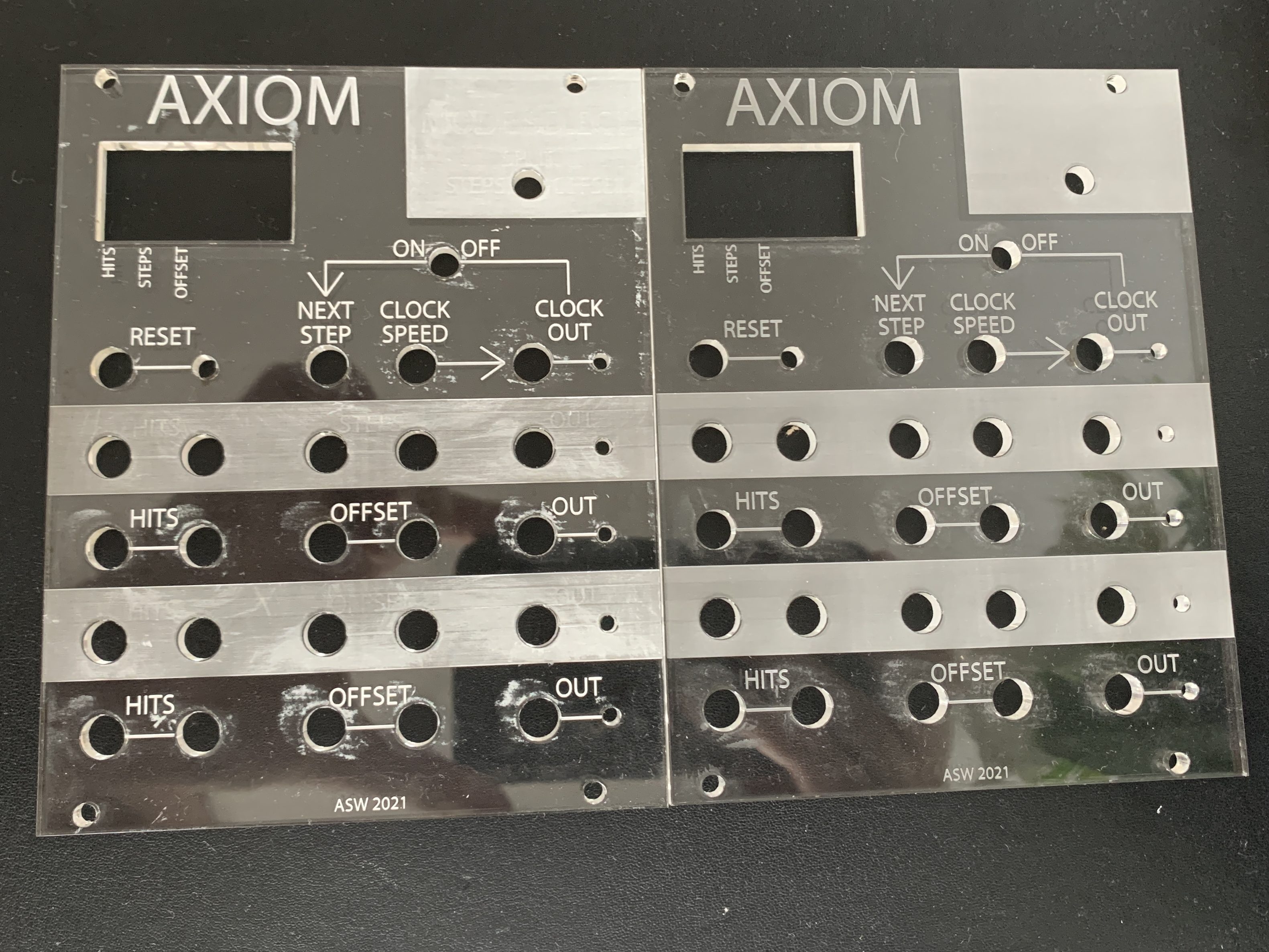
I popped into the University to get this test file cut, and was very happy with the results! The large etched areas did not really work, so I will scrap these from the final design, but the lettering and labelling all look great, and the holes are all in the right places for my module to fit perfectly! Unfortunately only 5mm acrylic sheet was available so I am unable to fully assemble the unit at this point, but some black 2mm has been ordered so I should be able to cut the final faceplates next week.
I also did some testing with adding paint to the etched areas to make things more clear. The picture below shows two of the discarded faceplates with large etched areas – the one on the left has added paint and the one on the right does not. There is a bit of mess around the cutting, but I am hoping that some T-Cut will smooth out the surface and fix these imperfections.
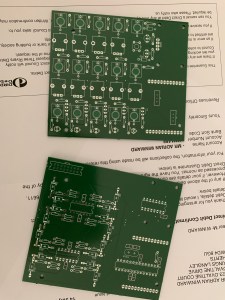
My circuit boards arrived in the post, and they look great!
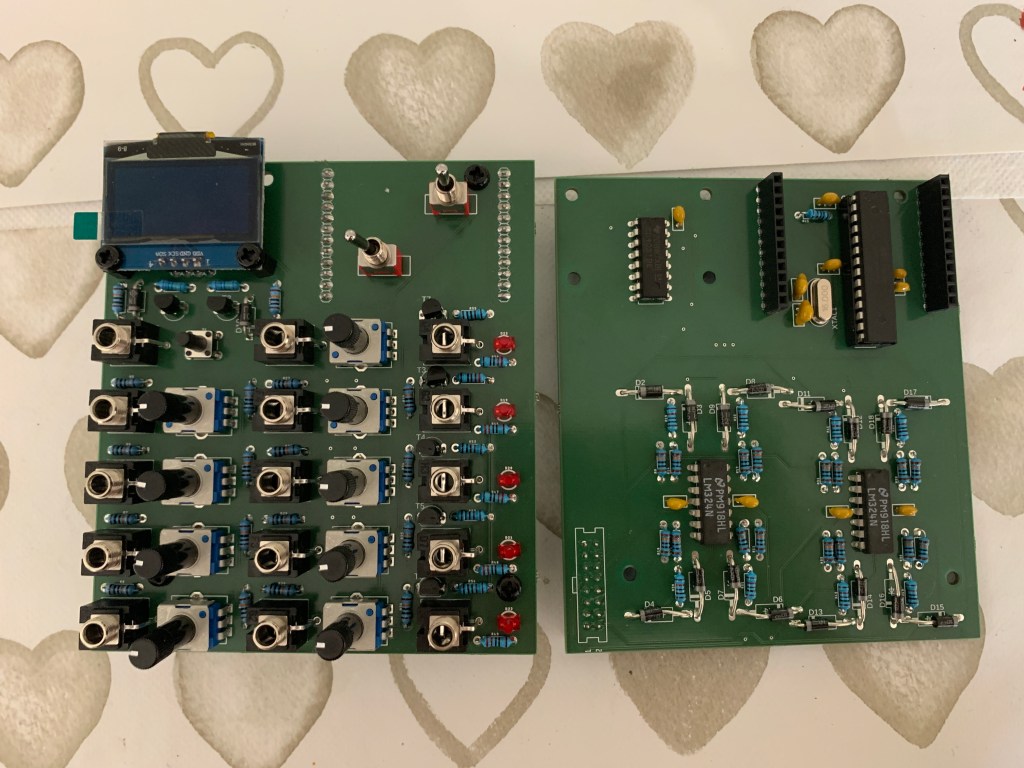
I had also already ordered the remaining parts to build up a module, so I got the soldering iron out and began construction! Thankfully, all of my parts fitted the board nicely, and I ended up with a very professional looking pair of boards which I am very happy with indeed! All the holes and inter-board connectors lined up perfectly, and using the plastic screw spacers I had purchased the two boards could be easily attached together.
At first glance, all of the components’ heights seem to be close enough that the faceplate will fit on nicely, although this is something I will need to test further down the line. Unfortunately, there was one mechanical problem…
The boards with components soldered in place. Note that the microcontroller is placed in a seat so that it can be removed for reprogramming, whereas the other ICs are soldered straight onto the board. The power connector is not visible as it is attached to the back of the logic board rather than the front.
While not immediately apparent in the images here, I had made an error with the size of the display and it overhangs the top of the board! The top two holes do not line up, which is ok as the display is still very securely attached, but the extended size of the module now would not fit into a standard Eurorack case! Thankfully, using a pair of cutting pliers I was able to remove some of the unnecessary structural circuit board at the top of the display and it looks like it should now just about fit a Eurorack skiff, but it will be close!
Powering up the module and testing it revealed a couple of further issues, both caused by the fact that I had rushed my design to get the boards off to the manufacturing plant, and had not properly tested my schematic and circuit before designing the PCB (oops!). These manifested as:
Output LEDs not blinking.
Reset Button causing some serious glitching and a burning smell (!) when pressed.
Reset and Next Step CV inputs not working.
Steps knobs being in the wrong order (ie: 4-1 instead of 1-4).
Thankfully, these were all fixable!
The knob order was easily rectified by modifying the code – this was a simple mistake that had happened while splitting my schematic in two earlier on.
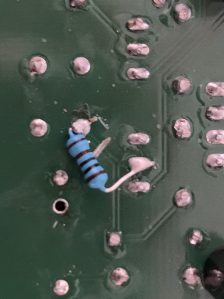
A quick breadboard mock-up of the Reset Button part of the circuit showed that when the button was connected it was connecting 5V directly to ground, and starving the rest of the circuit of current! A simple 1KΩ resistor added between the switch and ground solved this issue, and was simple to implement on the board – I just had to cut the connecting trace with a scalpel and solder the resistor onto the board.
The other two issues were both caused by my choice to normal the jacks to ground when nothing was plugged into them. This seemed to make sense to me at the time of design, but as I did not have the jack sockets in my possession at that time I did not actually test this. The fix here was first to desolder the affected jack sockets, and then remove the part inside the socket that enables the normalling. Once the jacks were resoldered in place the problem was solved, although as they had lost a solder point the sockets were a little less rigid. Once attached to the faceplate I do not see this being an issue, and it will be easy to fix in a future revision of the circuit board as I can simply remove the connection between these pins and the ground plane on the board.
All testing up to this point has been done with a multimeter and breadboard circuits. Once I have a functional faceplate I will be able to install my module in a modular system and test it with other proper modules, but things are looking promising!
After a couple of hours getting the new display setup, I realised that I had come across a rather serious problem. The screen refreshing was hogging the processing power of the limited ATMEGA328p microprocessor that I am using, and was slowing things down so much that the output signals were not working properly. Things seemed to be ok up to about 100bpm, but after that outputs started getting messy and triggers were overlapping where they shouldn’t be, effectively throttling the speed and accuracy of the device.
I had a chat with my brother who is a software engineer to see if he could help me optimise my code, and he pointed out that I was being hideously inefficient with the display! My code was writing the entire screen’s contents for that moment into RAM and then sending this to the display each and every cycle, meaning that unchanged parameters were being needlessly refreshed. I ended up rewriting my display code from the ground up, this time checking to see whether anything had changed, and then only updating those parameters which required an update.
This fixed my lagging problem, but there are still a few bugs left in the software which need to be resolved:
Parameters sometimes not updating when knobs turned or mode changed – possibly something to do with the selected mode?
Highlighted current step issues when the length of a sequence is reduced below the currently active step.
Highlighting of active parameters in the bottom left corner of the display not always working.
Probably other bugs yet to be found once testing within a modular system is done!
However, the code now seems to be completely functional apart from some display issues, so I can happily move across to the hardware side of things and return to these issues later!
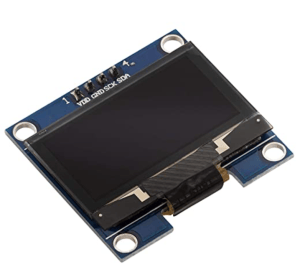
The prebuilt display board I settled on for my module.
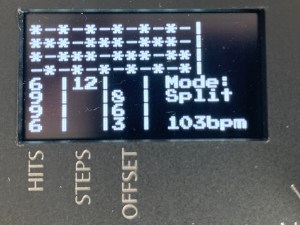
Now that I had settled on a display (the 1.3″ 128×64 LED screen), I needed to adjust my code to address it rather than the display I had previously been using. Before getting the code to work, I needed to settle on a user interface. As the display is most efficiently programmed using a monospace font, I would have a 16×8 character grid to play with.
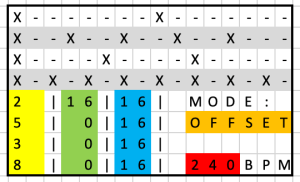
The character layout for the display.
I created an excel spreadsheet to allow me to try a few different configurations, and settled on the one pictured. The top four rows display the sequence lanes, the bottom left section shows the values of each parameter, and the bottom right shows the mode and tempo. This displays all of the useful information, although does ideally need some legends on the faceplate around the screen, in particular to clarify which of the three bottom left parameters is which.
My aim is to highlight whichever parameters are currently editable by the knobs/CV inputs, so that the effect of the mode switch is as obvious as possible.
I have not posted on this blog in almost a month, but I have good reason!
Me and Layla 🙂
Firstly, I had to wait for my circuit boards to be produced and shipped which took 3 weeks. More importantly, my daughter was born! Whilst I was able to get some work done over the past couple of weeks since she arrived, it has been in short bursts, and so I didn’t get the chance to update this blog with my progress. The next few posts will address this, and bring things back up to speed!